
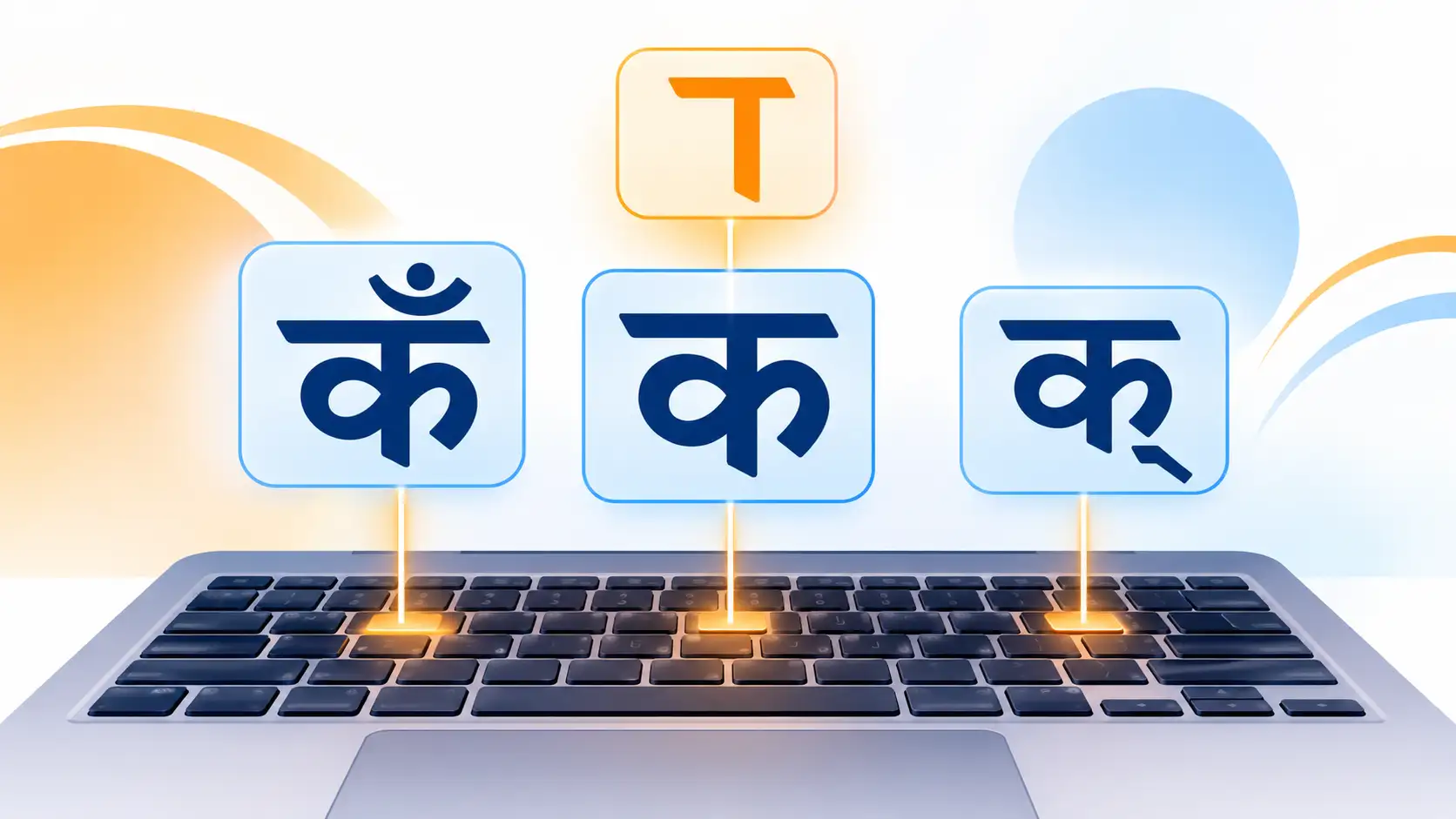
You are typing a Hindi word, and suddenly it goes wrong. The vowel sign lands on the wrong letter, the dot above a letter will not appear, or two letters refuse to join into a conjunct. If this sounds familiar, you are not alone. Matras, the chandrabindu and the halant are where almost every beginner gets stuck in Hindi typing.
Table of Contents
The good news is that the Inscript keyboard handles all of them with a simple, logical system. Once you learn the pattern, these characters become second nature. In this guide you will find a key-by-key chart for matras, step-by-step instructions for the chandrabindu, anusvara, halant and nukta, worked examples with real Hindi words, and a seven-day practice plan.
A quick note on layouts: the key positions in this guide follow the standard Hindi Inscript layout used on Windows. Other devices may differ slightly, so check your on-screen keyboard if a key does not match.
First, Make Sure You Are Using the Inscript Layout
Before anything else, confirm which Hindi keyboard you have selected. Two layouts are common:
- Inscript places characters in fixed positions, the same on every compatible computer. It is the standard for government typing exams and professional work, and it is the layout this guide covers.
- Phonetic types Hindi by spelling words in English letters, so it works differently and does not use the key positions below.
If the keys in this guide produce unexpected characters, you are probably on a different layout. Switch to Hindi Inscript in your language settings, then try again. If you are new to the layout, start with our Hindi typing keyboard layouts guide.
How Matras Work in Hindi Typing
A matra is a vowel sign that attaches to a consonant. The most important rule to remember is this:
Type the consonant first, then the matra.
This is true even for the matra ि, which appears to the left of the consonant on screen. For example, to write कि you press the key for क and then the key for ि. The computer handles the visual placement for you. Beginners often try to type the matra first because they see it first, and that is the number one cause of errors.
Matra Key Chart (Inscript)
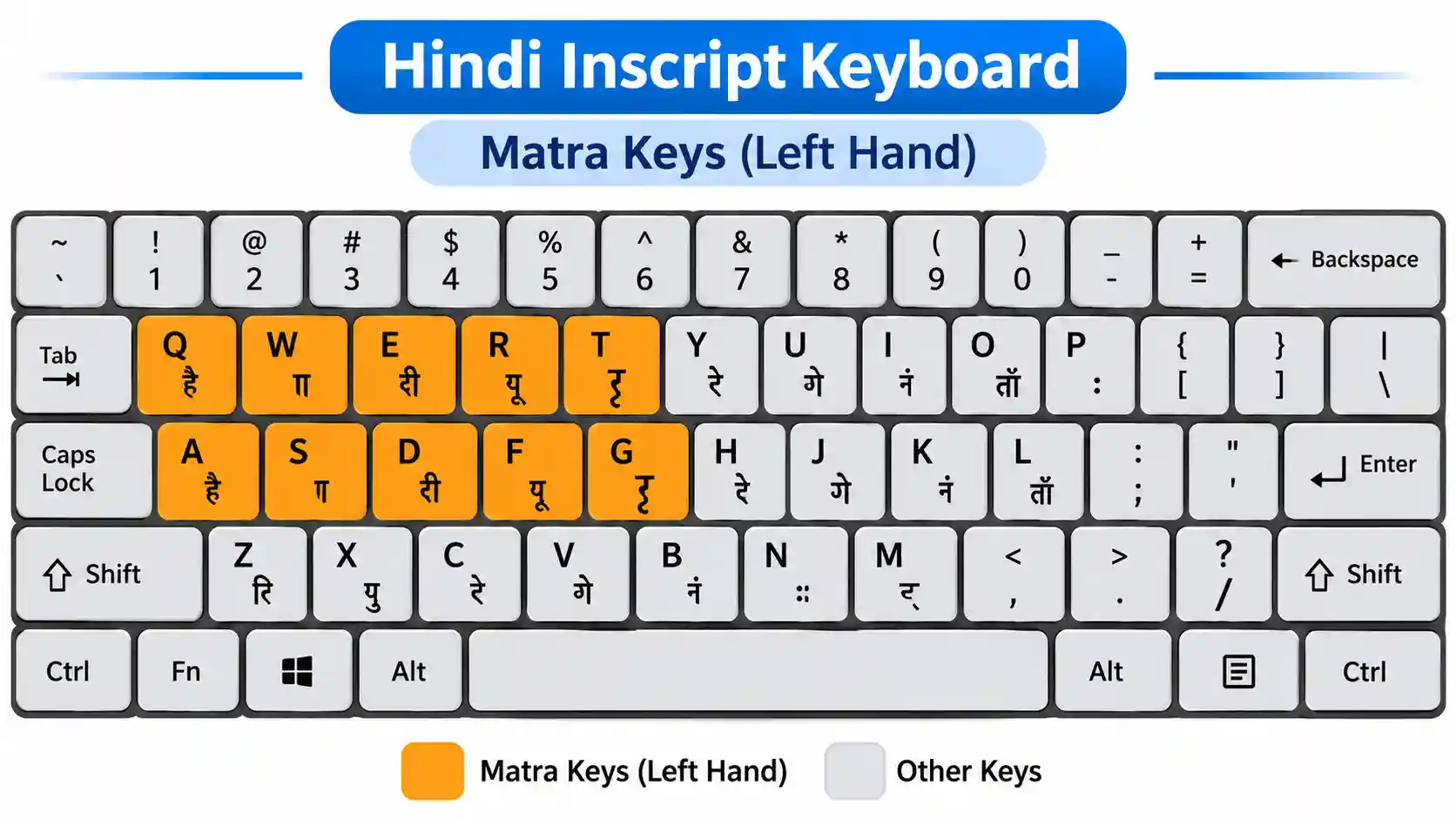
All the common matras sit on the left side of the keyboard, which makes them easy to find. Here is each one, shown on the consonant क:
|
Matra |
Example |
Key to press |
Sound |
|---|---|---|---|
|
ा |
का |
E |
aa |
|
ि |
कि |
F |
i |
|
ी |
की |
R |
ee |
|
ु |
कु |
G |
u |
|
ू |
कू |
T |
oo |
|
े |
के |
S |
e |
|
ै |
कै |
W |
ai |
|
ो |
को |
A |
o |
|
ौ |
कौ |
Q |
au |
Notice that the matras sit on the top-left keys (Q W E R T) and the left home row (A S D F G). That is one reason the left hand does a lot of work in Hindi typing. If you want to build those finger habits properly, practice with our free Hindi typing lessons.
Independent Vowels Use Shift
When a vowel stands alone, such as at the start of a word, you use the full vowel letter instead of the matra. In Inscript, these are the same keys held with Shift:
|
Vowel |
Keys |
|---|---|
|
अ |
Shift + D |
|
आ |
Shift + E |
|
इ |
Shift + F |
|
ई |
Shift + R |
|
उ |
Shift + G |
|
ऊ |
Shift + T |
|
ए |
Shift + S |
|
ऐ |
Shift + W |
|
ओ |
Shift + A |
|
औ |
Shift + Q |
A handy memory trick: the unshifted key gives the matra, and the shifted key gives the full vowel.
How to Type the Chandrabindu (ँ)
The chandrabindu is the half-moon with a dot that adds a nasal sound, as in हँसी or कुँआ. It is one of the most searched characters among new Hindi typists.
In Inscript, press Shift + X right after the consonant or vowel you want to nasalize. For example, to type हँसी:
- Type ह (U)
- Type ँ (Shift + X)
- Type स (M)
- Type ी (R)
The order matters. The chandrabindu comes straight after the letter it belongs to, before any following consonants.
How to Type the Anusvara (ं)
The anusvara is the single dot above a letter, as in हिंदी. It sits on the plain X key, right next to the chandrabindu on Shift + X, which makes the pair easy to remember.
To type हिंदी, press: U (ह), F (ि), X (ं), O (द), R (ी).
Anusvara or chandrabindu? A simple rule for beginners: use the chandrabindu for words with a soft nasal sound on a vowel that has no consonant after it joined to the same syllable, and the anusvara in most other cases, especially before consonants. When in doubt, check a dictionary, since spelling conventions vary.
How to Type the Halant (्)
The halant, also called virama, removes the built-in vowel from a consonant and is the key to making conjuncts. In Inscript it is on the D key, right in the middle of the left home row.
That placement is deliberate. Because you use the halant constantly, the layout puts it where your left middle finger rests naturally. Press D after a consonant and that consonant loses its inherent “a” sound.
How to Type Conjuncts (Joint Letters)
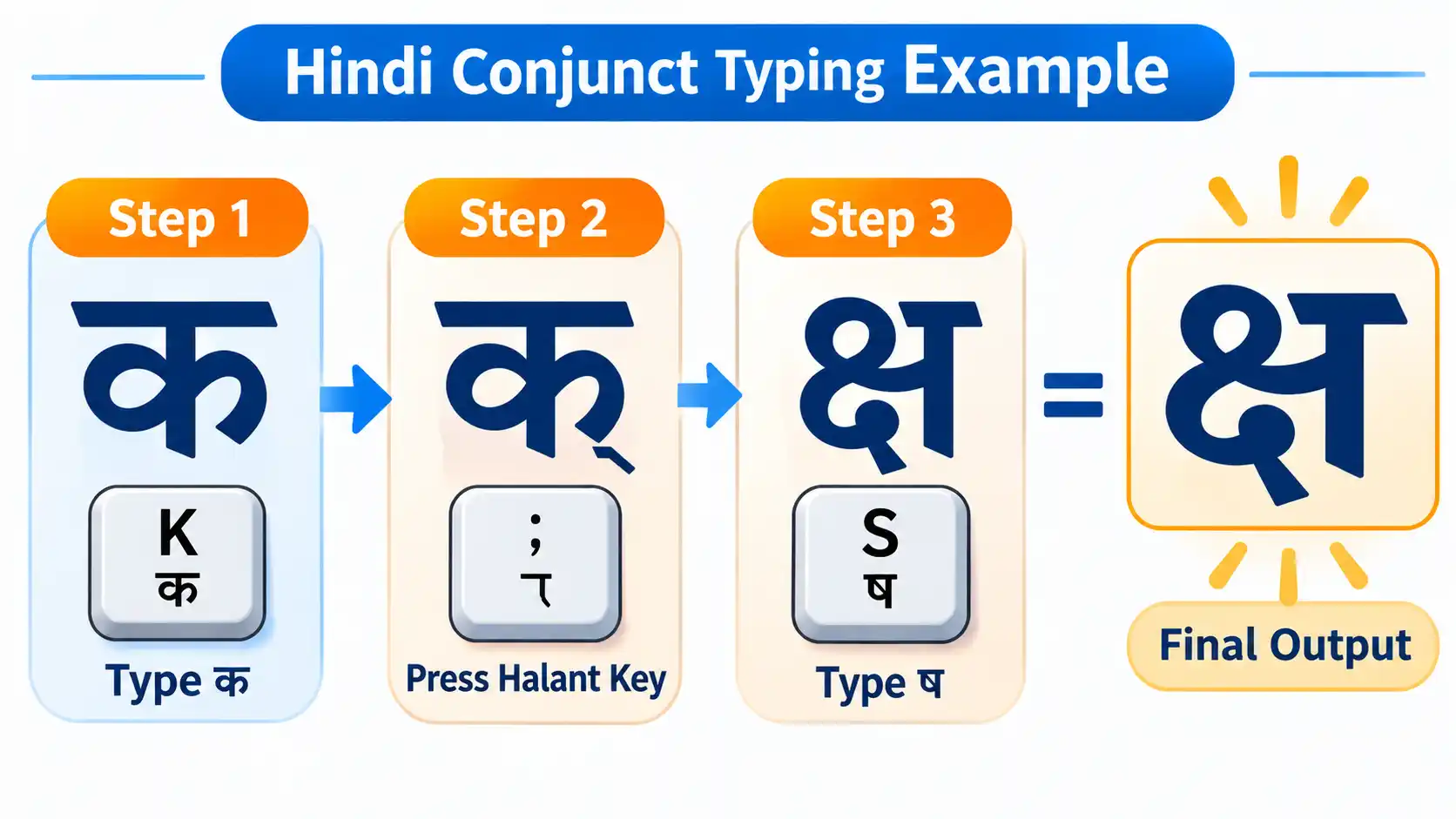
A conjunct joins two or more consonants into one shape. The formula in Inscript is always the same:
First consonant + halant (D) + second consonant
Here are some common examples:
|
Conjunct |
How to type it |
|---|---|
|
प्र |
P key letter प (H), then D, then र (J) |
|
त्र |
त (L), D, र (J) |
|
क्ष |
क (K), D, ष (Shift + comma) |
|
ज्ञ |
ज (P), D, ञ (Shift + right bracket) |
|
श्र |
श (Shift + M), D, र (J) |
Once you see it as “consonant, halant, consonant”, even complicated conjuncts become predictable. Words like विद्या (B, F, O, D, /, E) simply chain the same pattern.
How to Type the Nukta (़)
The nukta is the dot below a letter that creates sounds such as क़, ख़, ग़, ज़ and फ़, common in words borrowed from Urdu and English. In Inscript it sits on the right bracket key (]). Type the base consonant first, then the nukta.
For example, ज़रूर is: P (ज), ] (़), J (र), T (ू), J (र).
The Danda (।)
The full stop in Hindi is the danda. In Inscript it is typed with Shift + period. Use it at the end of sentences just like an English period.
Practice Words With Key Sequences
Try typing these slowly. Aim for accuracy first, then speed.
|
Word |
Meaning |
Key sequence |
|---|---|---|
|
हिंदी |
Hindi |
U, F, X, O, R |
|
हँसी |
laughter |
U, Shift+X, M, R |
|
प्रेम |
love |
H, D, J, S, C |
|
भारत |
India |
Y, E, J, L |
|
विद्या |
knowledge |
B, F, O, D, /, E |
|
ज्ञान |
wisdom |
P, D, Shift+], E, V |
|
क्षमा |
forgiveness |
K, D, Shift+comma, C, E |
|
श्री |
revered |
Shift+M, D, J, R |
If a word does not come out right, retrace the sequence and watch for a missing halant or a matra typed in the wrong position.
Common Mistakes (and How to Fix Them)
- Typing the matra before the consonant. Always consonant first, then matra, even for ि.
- Forgetting the halant in a conjunct. If two consonants will not join, you skipped D.
- Using an independent vowel instead of a matra. Matras attach to consonants, so use the unshifted key mid-word.
- Having Caps Lock on. It flips shifted and unshifted characters and creates confusing results.
- Wrong keyboard selected. Phonetic keys will not match the Inscript chart above.
- Typing too fast too early. Speed on a complex script comes after accuracy. Our guide to typing accuracy vs. speed explains why.
A 7-Day Practice Plan
|
Day |
Focus |
Time |
|---|---|---|
|
1 |
Left-hand matra keys (E, F, R, G, T) |
15 minutes |
|
2 |
Remaining matras (S, W, A, Q) |
15 minutes |
|
3 |
Halant and simple conjuncts (प्र, त्र) |
20 minutes |
|
4 |
Chandrabindu, anusvara and danda |
15 minutes |
|
5 |
Nukta and special sounds |
15 minutes |
|
6 |
Full words from the practice table |
20 minutes |
|
7 |
Timed test and review of mistakes |
20 minutes |
Keep your fingers on the home row, avoid looking at the keys, and repeat any sequence that feels slow. If typing feels harder than expected, you are in good company. Read why typing is so hard to understand what your brain is doing and how to improve. Our touch typing guide will also help you build the technique behind every layout.
Test Your Hindi Typing Speed
After a week of practice, check your progress with a free test:
Not sure what score to aim for? See our article on what is a good typing speed, and note that speeds in Hindi are usually lower than in English because of the extra keystrokes for matras and conjuncts.
Frequently Asked Questions
How do I type chandrabindu in Hindi?
Press Shift + X right after the letter in the Inscript layout. For example, ह followed by Shift + X gives हँ.
How do I type the anusvara (dot above a letter)?
Press the X key. The anusvara and chandrabindu share the same key, with Shift producing the chandrabindu.
Which key types the halant?
The halant is on the D key in the Inscript layout.
Why do my Hindi letters not join into a conjunct?
You probably skipped the halant. Type the first consonant, press D, then type the second consonant.
Do I type the matra before or after the consonant?
Always after. Even for ि, which appears before the consonant on screen, you type the consonant first.
How do I type the nukta?
Type the consonant, then press the right bracket key (]).
Is Inscript better than phonetic Hindi typing?
Inscript is the standard for typing exams and professional work, and its key positions are consistent across computers. Phonetic can feel easier at first but is less transferable.
How long does it take to learn Hindi Inscript typing?
Most learners become comfortable with the full layout in two to four weeks of daily practice.
Final Thoughts
Matras, the chandrabindu, the halant and the nukta look intimidating, but they follow clear rules. Remember the three core ideas: consonant first, then the matra, use D for the halant to build conjuncts, and use X and Shift + X for the anusvara and chandrabindu. Practice each group for a few minutes a day, and within a week the characters that once frustrated you will feel natural.
Ready to put it into practice? Start the Hindi lessons, then take the Hindi typing test to see how far you have come.