What Is a Good Typing Speed? The Real Numbers Behind WPM
Type the phrase "what is a good typing speed" into a search bar and you'll get dozens of articles throwing out the same recycled number: "40 WPM is average." But that number alone doesn't tell you much. A good typing speed for a 12-year-old finishing a school assignment is very different from a good typing speed for a customer support agent juggling five live chats at once.
This guide goes deeper than a single magic number. We'll look at how WPM is actually calculated, why your "good" speed depends entirely on context, what the data says about different age groups and professions, and the small mechanical habits that separate a 35 WPM typist from an 80 WPM typist — because the gap usually isn't talent, it's technique.
Table of Contents
How WPM Is Actually Calculated
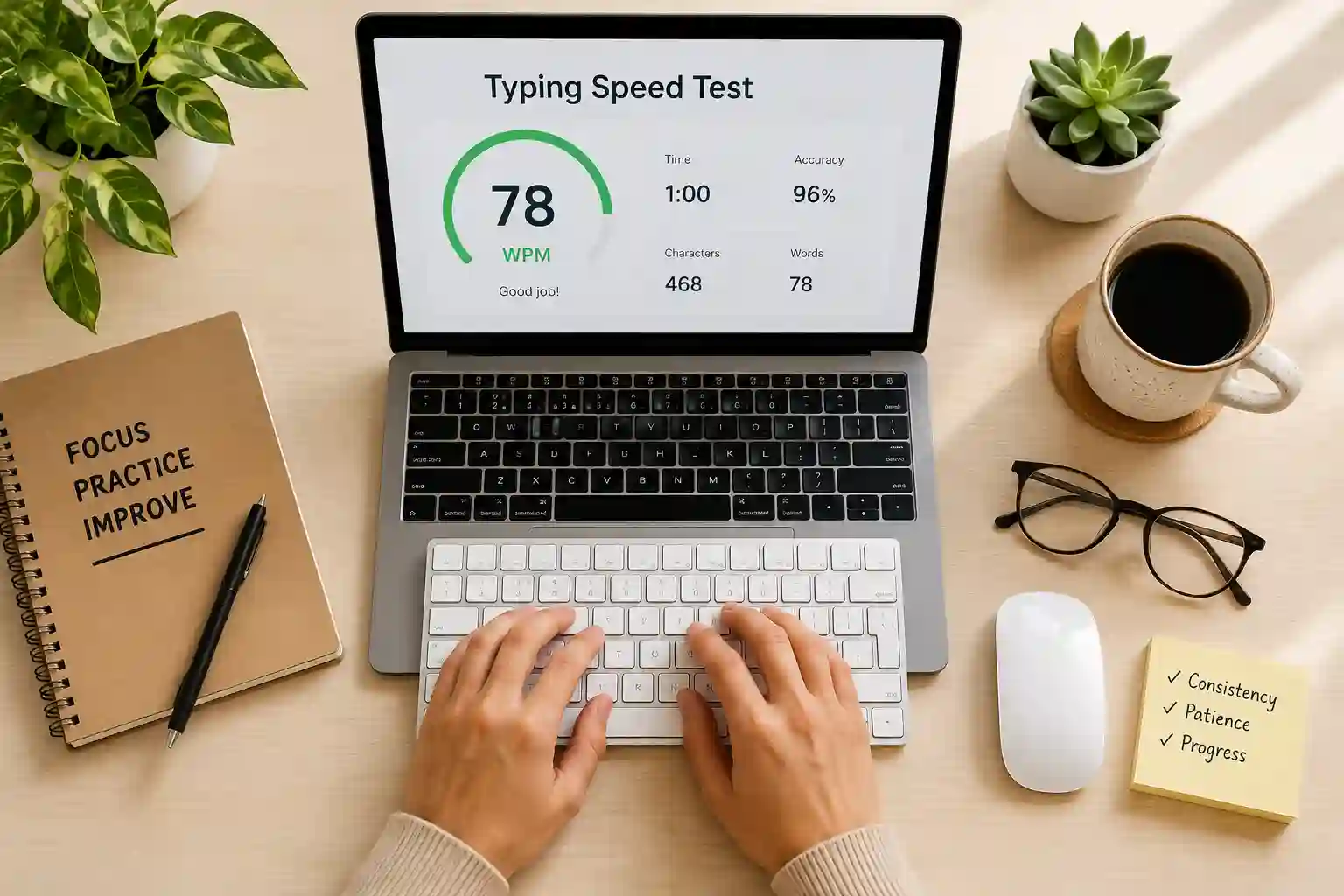
Before debating what counts as "good," it helps to understand what WPM actually measures. Words Per Minute isn't a literal word count — it's a character-based formula. Most typing tests treat every five keystrokes (letters, spaces, and punctuation combined) as one standardized "word."
This matters because real words vary enormously in length. If tests counted actual words, someone typing short words like "the cat sat" would score artificially higher than someone typing technical or scientific text. The five-character standard keeps comparisons fair, regardless of the content being typed.
Most tests also subtract a penalty for errors, which is why two people who type the same number of raw keystrokes per minute can end up with noticeably different final WPM scores.
So, What Is Considered a Good Typing Speed?
Here's where most articles stop at one number. We'll give you the full range instead, because "good" depends on your goal.
- Below 20 WPM — Entry level. Common among people without formal practice.
- 20–35 WPM — Average for casual, occasional computer users.
- 35–55 WPM — A good typing speed for everyday school, browsing, and general office tasks.
- 55–75 WPM — Above average; the zone most administrative and customer-facing roles target.
- 75–95 WPM — Excellent, professional-level performance.
- 95+ WPM — Expert tier, common among transcriptionists and competitive typists.
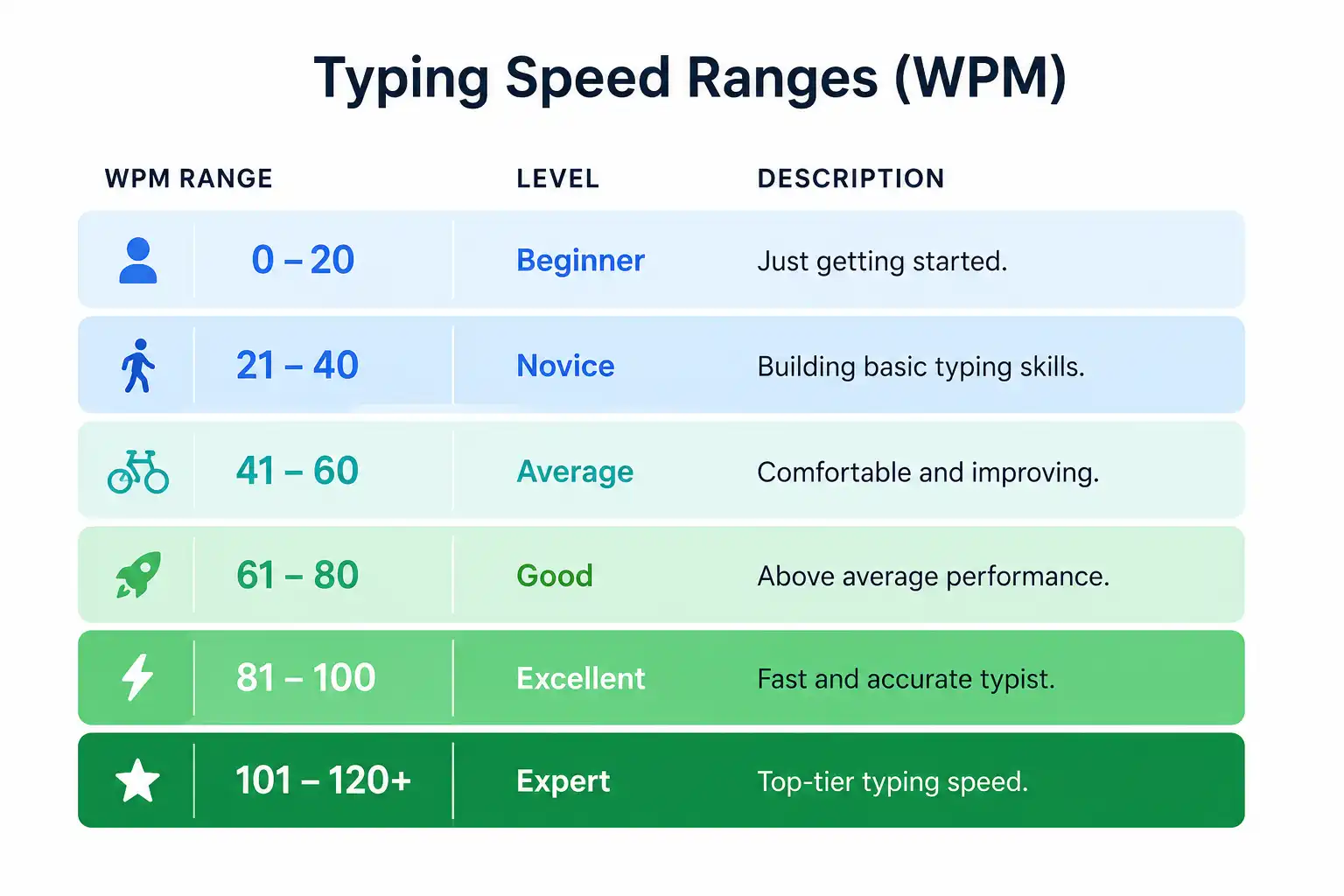
If you're asking "what's a basic typing speed I should aim for," somewhere between 35 and 55 WPM is the realistic, practical target for most adults — fast enough to keep pace with your own thoughts without constant backtracking to fix mistakes.
Average Typing Speed by Age Group
Typing ability isn't static across a lifetime — it shifts with how much keyboard exposure a generation has had, and how early that exposure started.
| Age Group | Typical Average WPM |
|---|---|
| Children (10–12) | 14–24 WPM |
| Teenagers (13–17) | 28–42 WPM |
| Young Adults (18–25) | 38–52 WPM |
| Adults (26–45) | 35–48 WPM |
| Adults (46–65) | 28–42 WPM |
| Seniors (65+) | 18–32 WPM |
Interestingly, the gap between generations isn't purely about age — it's about formative exposure. Someone who learned touch-typing in school during a formative window tends to retain that speed well into later adulthood, while someone who picked up typing later in life through trial and error often plateaus lower, regardless of age.
Typing Speed Benchmarks by Job
Different careers set very different expectations, and job listings increasingly state a minimum WPM outright.
- General office administration: 35–45 WPM
- Customer support / live chat agents: 45–60 WPM
- Data entry specialists: 60–80 WPM
- Executive and virtual assistants: 55–70 WPM
- Medical and legal transcriptionists: 75–100 WPM
- Court reporters / stenographers: 180–225 WPM (achieved on specialized stenotype machines, not standard keyboards)
- Software developers: 45–65 WPM, where code structure and accuracy matter more than raw speed

If your role involves constant emailing, reporting, or live chat, treat 50–60 WPM as your realistic floor — below that, typing itself starts to become the bottleneck in your workday rather than your thinking.
Does Keyboard Layout Affect Typing Speed?
This is a detail most typing-speed articles skip entirely. The vast majority of typists use QWERTY, the standard layout found on nearly every keyboard. But alternative layouts exist specifically to reduce finger travel:
- Dvorak places the most commonly used letters on the home row, which proponents claim can modestly raise comfortable typing speed over time.
- Colemak keeps many familiar QWERTY shortcuts (like Ctrl+C and Ctrl+V in their usual positions) while still optimizing letter placement.
In practice, the layout itself rarely makes or breaks someone's WPM — proper finger technique on standard QWERTY usually closes most of the gap. Layout switching tends to help more with long-term wrist comfort than with raw speed gains.
How to Test Your Typing Speed Properly
A single test isn't a reliable snapshot. Here's a better approach:
- Warm up first. Type a few sentences before the actual test; cold-starting underestimates your real speed.
- Test at different times of day. Speed often dips when you're mentally fatigued, even if your fingers feel fine.
- Use a 2–3 minute test, not just 60 seconds. Short tests can be skewed by a fast opening burst.
- Track accuracy alongside WPM. A score without an accuracy percentage is incomplete information.
- Retest weekly, same conditions. Consistency in testing conditions is what makes progress tracking meaningful.
Why Typing Speed Quietly Shapes Your Workday
Typing speed rarely gets discussed as a productivity factor, but its effects compound silently across a workday:
- Cognitive flow: Slow typing forces frequent pauses, breaking your train of thought mid-sentence.
- Meeting notes: Faster typists capture more accurate, detailed notes in real time instead of summarizing from memory afterward.
- Email backlog: Even a 15 WPM gap adds up to real hours saved or lost across a typical workweek.
- Reduced physical fatigue: Efficient technique means fewer wasted keystrokes and less strain on hands and wrists.
- Confidence under pressure: Typists who don't need to watch the keyboard stay focused on content, not mechanics, during high-pressure tasks like live support chats.
The Science Behind Typing Faster
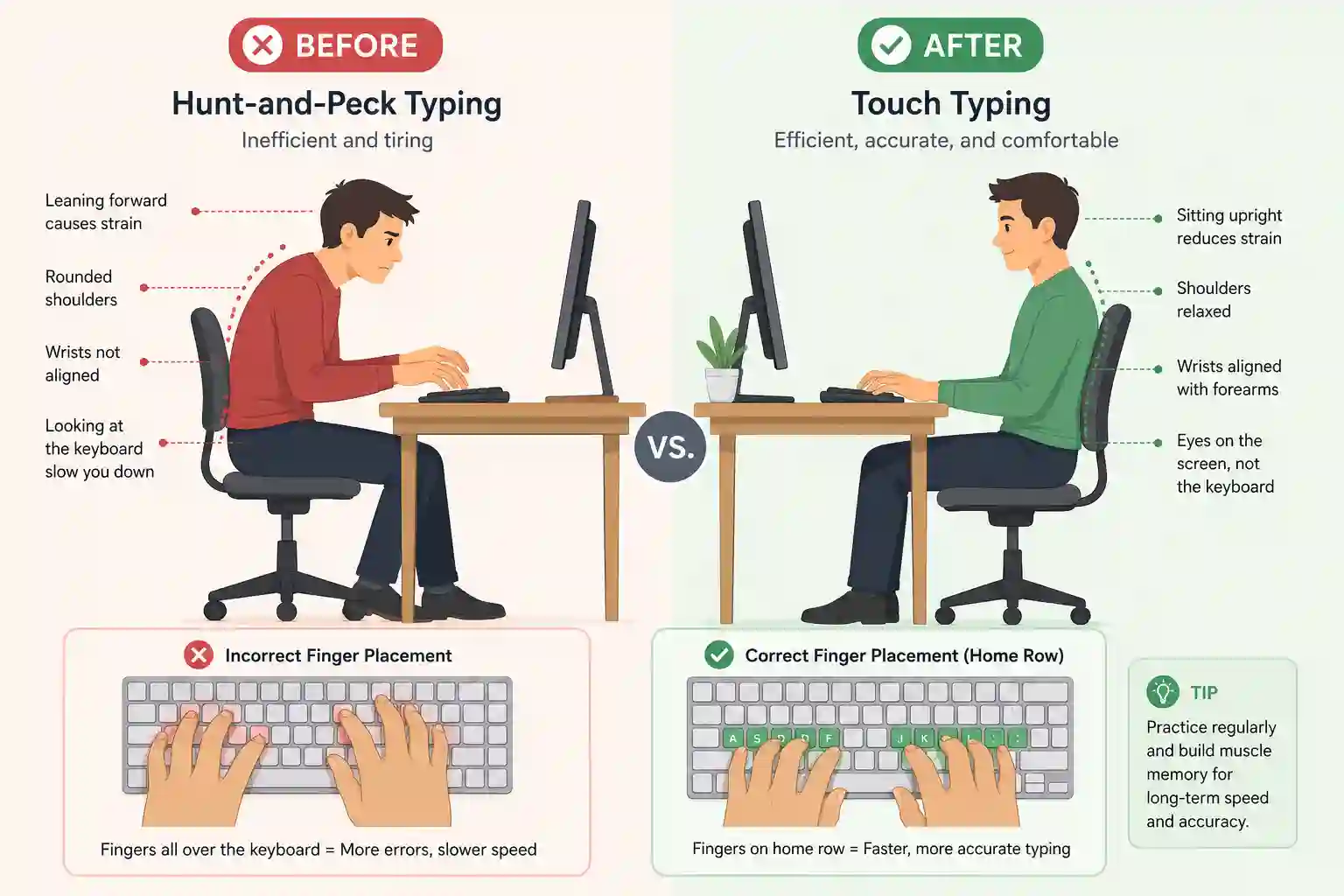
Typing speed gains come almost entirely from procedural memory — the same brain system responsible for skills like riding a bike or playing an instrument. Unlike memorizing facts, procedural memory improves through repetition of correct movement patterns, not through conscious thought about where each key sits.
This is why typists who "hunt and peck" while staring at the keyboard often plateau early: they're relying on visual searching instead of letting muscle memory take over. Touch-typists, by contrast, build a physical map of the keyboard that operates almost automatically, freeing up mental bandwidth for composing the actual content.
A 4-Week Plan to Raise Your WPM
Rather than vague advice to "practice more," here's a structured path:
Week 1 — Foundation: Focus entirely on home row accuracy (ASDF / JKL;). Speed is irrelevant this week; clean, correct keystrokes are the only goal.
Week 2 — Expansion: Introduce the top and bottom rows. Practice short, repetitive drills rather than full sentences, so your fingers learn individual reaches.
Week 3 — Real text: Switch to typing real paragraphs, articles, or emails. Begin timing yourself, but don't worry about your score yet — just notice where you hesitate.
Week 4 — Speed building: Now actively push pace while maintaining at least 95% accuracy. Retest formally at the end of the week and compare to your Week 1 baseline.
Most consistent practicers see a measurable WPM increase within this single month — often 10–20 WPM higher than their starting point.
Typing Speed vs. Accuracy: Which Matters More?
Raw speed without accuracy is a false economy. A typist who hits 70 WPM but makes constant errors often spends more total time correcting mistakes than a steadier 50 WPM typist who rarely needs to backspace.
Most typing instructors recommend prioritizing 95–98% accuracy before chasing further speed. Once accuracy stabilizes at a high level, speed tends to rise naturally as hesitation and second-guessing disappear from your typing rhythm.
Typing Myths Worth Retiring
- "You need to type with all ten fingers to be fast." Some highly fast typists actually use unconventional finger patterns — proper key-to-finger consistency matters more than rigid textbook form.
- "Typing speed is mostly genetic talent." It's overwhelmingly a trained motor skill, not an inherent gift.
- "Faster is always better." Beyond a certain point, extra speed offers diminishing returns if accuracy starts slipping.
- "You can't improve much as an adult." Procedural memory remains highly trainable well into adulthood with consistent practice.
FAQs
What is a good typing speed for a beginner? Around 20–30 WPM is a reasonable starting goal, with steady growth toward 40+ WPM as habits solidify.
Is 60 WPM a good typing speed? Yes — 60 WPM sits comfortably above the general average and is considered strong for most professional roles.
What is a good typing speed for high-pressure jobs like transcription? Most transcription and stenography roles look for 75 WPM or higher, often paired with strict accuracy requirements.
Can typing speed improve with age? Yes. While raw reaction time may slow slightly over the years, deliberate, structured practice can still meaningfully raise WPM at virtually any age.
Does typing speed matter if I use voice-to-text? Voice input is useful for short bursts, but most professional work — editing, formatting, multitasking across windows — still relies heavily on manual typing, so keyboard speed remains a relevant skill.
Final Thoughts
So, what is a good typing speed? For most people, 35–55 WPM is a realistic, practical benchmark, with 55+ WPM representing a genuinely strong, professional-level skill. But the number itself matters less than the trajectory — accuracy-first practice, consistent repetition, and proper finger technique will raise almost anyone's speed over time, regardless of where they're starting from.
Rather than fixating on a single test score, treat typing speed as an ongoing skill, not a fixed trait. A few focused weeks of practice can shift your numbers more than most people expect.