
You have polished your resume and prepared your answers. Then the recruiter says, “There’s also a short typing test.” Many candidates freeze at this point. A typing test can feel more stressful than the interview itself, because the screen shows your speed and mistakes in real time.
The good news is that a typing test is one of the most predictable parts of hiring. Employers use it to confirm a skill they already expect, and that skill can be trained. This guide explains why employers use typing tests, what scores they look for, and how to prepare so you can pass with confidence.
Why Employers Use Typing Tests
Typing tests are common for roles where much of the day is spent at a keyboard. These include data entry, customer support, administrative assistance, transcription, content writing, and back-office operations. A fast, accurate typist finishes tasks sooner and makes fewer errors, which saves the company time and money.
Employers usually care about three things:
- Speed: how many words per minute (WPM) you can type.
- Accuracy: the percentage of characters you type correctly.
- Consistency: whether you can hold your pace for the full test, not only for a few seconds.
If you are not sure how speed is measured, our guide on average typing speed and what counts as a good WPM explains it in simple terms.
What Typing Speed Do Employers Expect?
Requirements vary by company and role, so always check the job description. As a general guide:
- General office and administrative roles: a moderate, steady speed with high accuracy is usually enough.
- Customer support and chat roles: employers want faster typing, because you will be talking with customers in real time.
- Data entry roles: both speed and accuracy matter, and accuracy often counts more because errors create extra work.
- Transcription and legal or medical typing: these roles often require the highest speeds and very low error rates.
If you want to see how your current speed compares, read our article on what is a good typing speed, which covers averages by age, job, and keyboard layout.
Accuracy Matters More Than Raw Speed
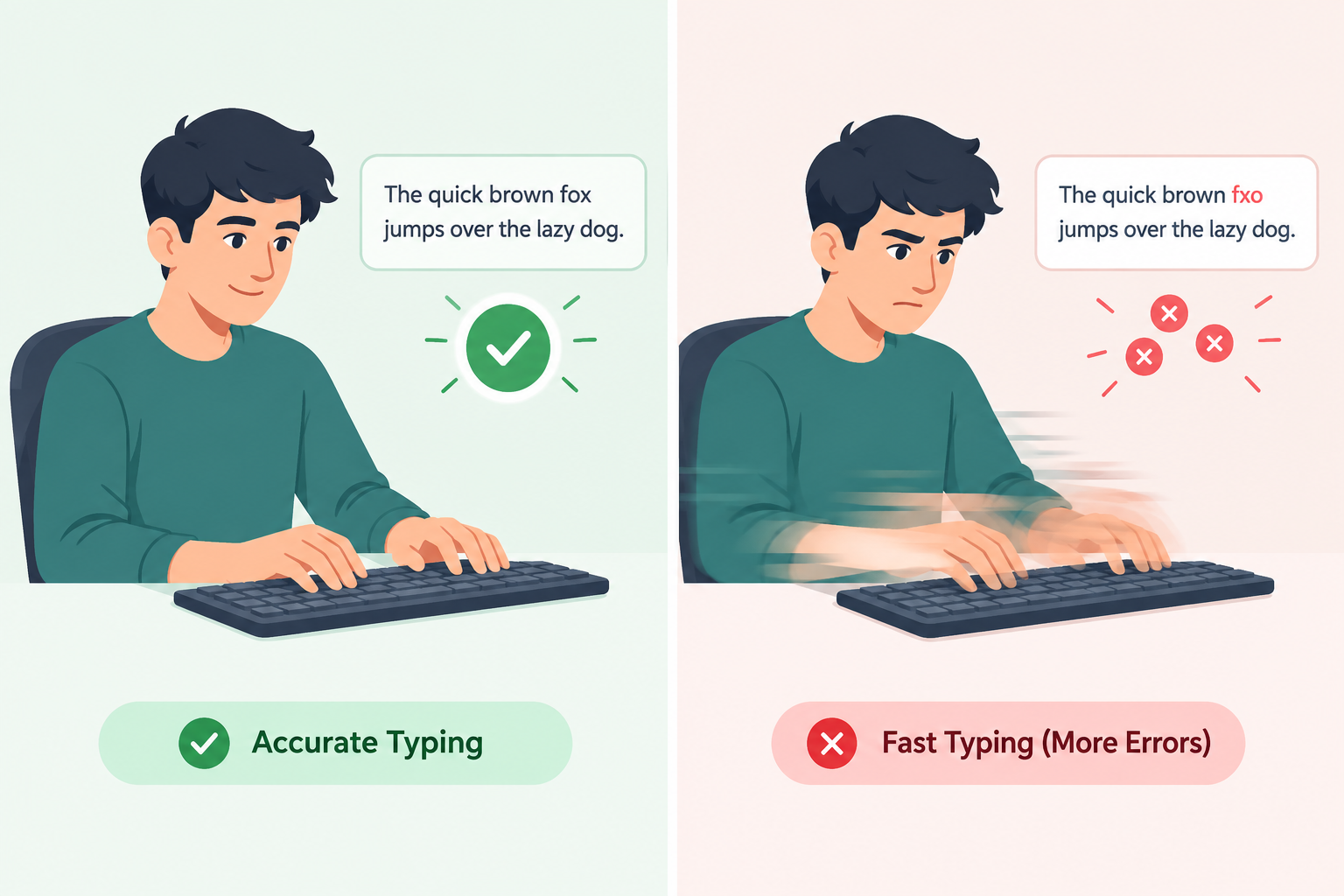
Many candidates try to type as fast as they can and end up with a pile of errors. This usually backfires. Most employers calculate your net WPM, which subtracts mistakes from your total speed. A candidate who types a little slower but makes very few errors often beats a faster candidate who makes many.
Fixing mistakes also costs time. Each backspace, pause, and retype slows you down more than careful typing would. If you want the full reasoning, see our guide on typing accuracy vs. speed and which to prioritize first. In short, build accuracy first and speed will follow.
Step-by-Step: How to Prepare for a Typing Test
1. Learn Touch Typing
Touch typing means typing without looking at the keys, using all ten fingers. It is the biggest single factor in typing speed. Hunting for keys with two fingers will limit you no matter how hard you try. If you have never learned it properly, start with our touch typing guide, which covers the benefits, techniques, and daily exercises.
2. Master the Home Row
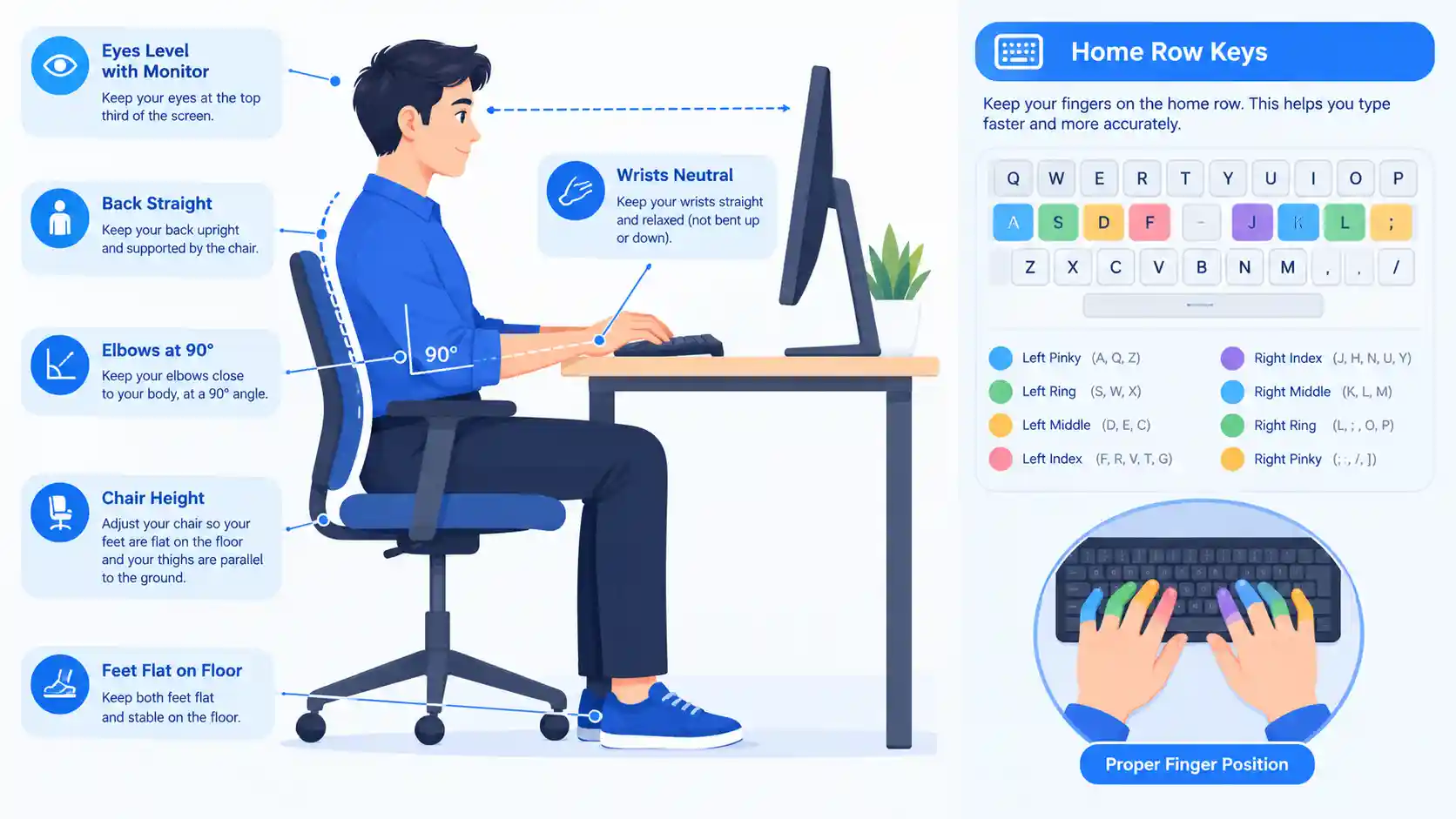
Your fingers should rest on the home row: A S D F for the left hand and J K L ; for the right. The small bumps on the F and J keys help you find the position without looking. After pressing any key, return your fingers to this base position. Beginners can practice this step by step with our free English typing lessons.
3. Fix Your Posture and Setup
Good posture improves comfort, endurance, and accuracy, especially in longer tests.
- Sit upright with your back supported.
- Keep your feet flat on the floor.
- Bend your elbows at roughly 90 degrees.
- Keep your wrists straight and floating slightly above the keyboard, not resting heavily on the desk.
- Place the monitor at eye level so you do not strain your neck.
4. Practice Daily, Even for 15 Minutes
Short daily sessions work better than a single long session once a week. Your brain builds muscle memory through repetition, and regular practice helps those patterns stick. A simple routine:
- 5 minutes: warm-up drills on the home row and common letter combinations.
- 5 minutes: accuracy-focused typing at a comfortable speed.
- 5 minutes: a timed test to track progress.
If typing feels harder than it should, you are not alone. Our article on why typing is so hard and how to stop mistakes explains why and offers fixes.
5. Take Realistic Practice Tests
Practice in conditions that resemble the real thing. Use a timer, avoid distractions, and type text you have not seen before. You can take a free English typing test at any time to measure your WPM and accuracy. If your interview or role involves another language, we also offer tests in Urdu, Hindi, and Chinese.
6. Track Your Progress
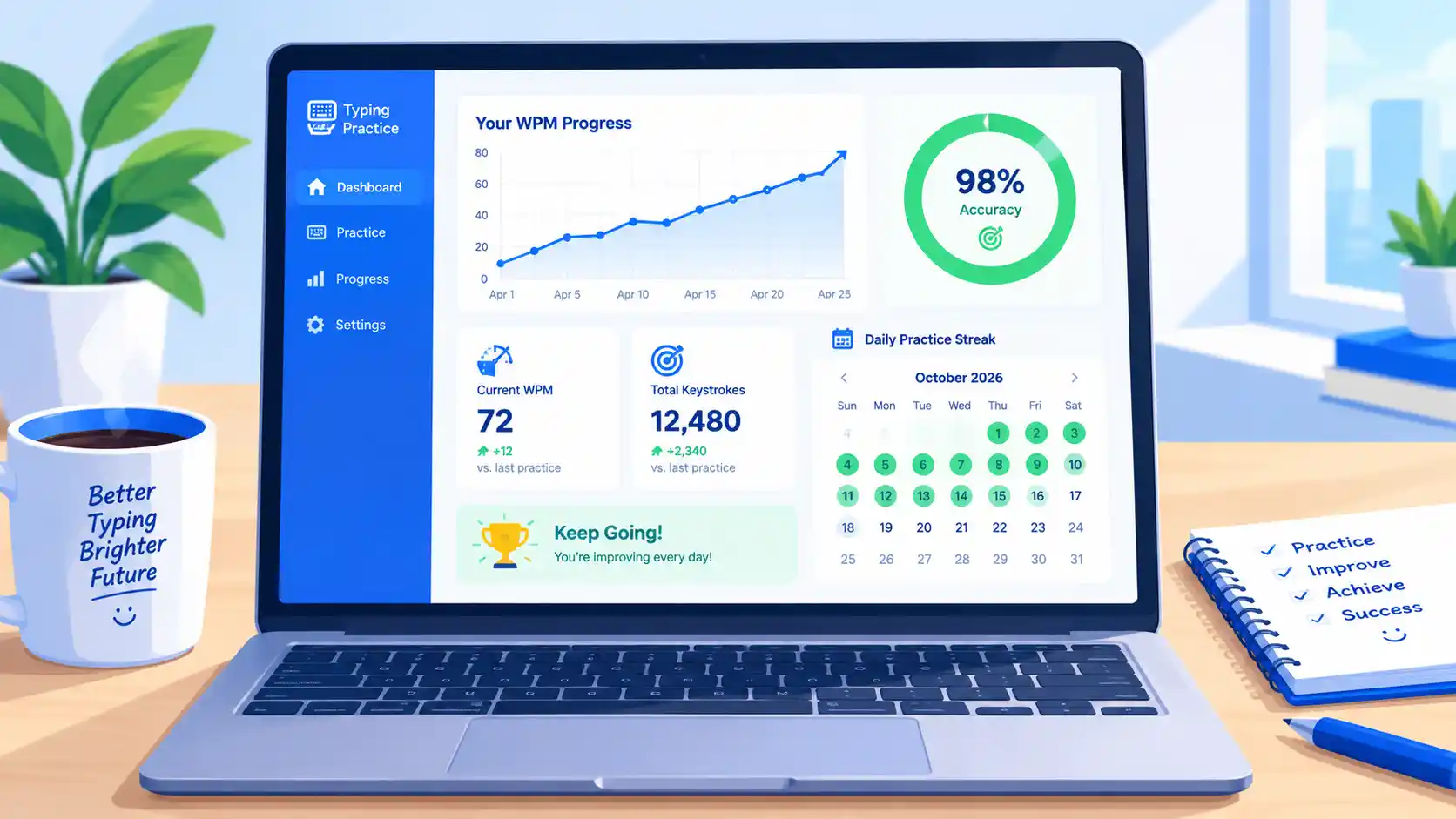
Improvement is easier to maintain when you can see it. Record your WPM and accuracy after each test. Looking back over a week or two shows you whether you are improving or stuck, and it keeps you motivated. You can also create a free account to save your results and compare yourself with others on the global leaderboard.
Tips for the Day of the Test
Preparation gets you most of the way. These habits help on the day itself.
Warm up first. If you can, spend two or three minutes typing something simple before the test starts. Cold fingers make early mistakes more likely.
Read the instructions carefully. Check whether punctuation, capital letters, and numbers count, and whether you are copying text or typing from dictation. Misreading the format is an avoidable mistake.
Start at a steady pace. Do not sprint in the first ten seconds. A smooth rhythm that you can hold for the whole test works better than a fast start followed by a crash.
Keep your eyes on the text, not the keyboard. Looking down breaks your flow and makes you lose your place in the passage.
Do not panic over errors. If you make a mistake, correct it quickly if the test allows, then keep going. Dwelling on a typo costs more time than the typo itself.
Stay calm. Nerves raise your heart rate and make your hands tense. Take a slow breath before you begin, relax your shoulders, and remember that you have practiced for this.
Common Mistakes That Make Candidates Fail
- Looking at the keyboard instead of the screen.
- Rushing and letting accuracy fall.
- Using only a few fingers, which caps speed.
- Skipping practice because “typing is easy.”
- Ignoring the test format, such as case-sensitive text or required punctuation.
- Poor posture, which causes fatigue partway through.
Avoiding these will put you ahead of many other applicants.
How Long Does It Take to Improve?
This depends on where you start and how consistently you practice. Beginners who learn proper finger placement and practice daily often see noticeable improvement within a few weeks. People who already type reasonably well can often gain speed and accuracy more quickly by fixing small habits. The key is consistency: a little practice every day beats occasional long sessions.
Final Thoughts
Passing a typing test for a job interview is not about natural talent. It comes down to learning correct technique, prioritizing accuracy, practicing regularly, and staying calm under pressure. Start with the basics, practice daily, test yourself often, and track your progress.
Ready to begin? Start with our free typing lessons, take a typing speed test to find your baseline, and create a free account to save your progress. With a few weeks of focused practice, the typing test will become one of the easiest parts of your interview.
Frequently Asked Questions
What is a good typing speed for a job interview?
It depends on the role. Administrative jobs often need a moderate speed, while data entry and transcription roles ask for more. Always check the job posting, and aim for high accuracy whatever the target speed.
Is accuracy more important than speed in a typing test?
In most cases, yes. Many employers score you on net WPM, so errors reduce your result. Accurate typing at a steady speed usually scores better than fast, error-filled typing.
Can I improve my typing speed quickly before an interview?
You can make real progress in a short time with daily practice, correct finger placement, and timed tests. Large gains take longer, but even a week or two of focused effort helps.
Where can I practice for free?
You can use the free lessons and tests on TypingPractices.com, available in English, Urdu, Hindi, and Chinese.