If you have ever watched someone type an email while looking only at their screen — never glancing down at the keys — you have witnessed touch typing in action. It looks almost effortless, yet it is a skill built entirely on muscle memory, deliberate practice, and proper finger placement. In a world where typing has become as fundamental as handwriting once was, touch typing is no longer a "nice to have" skill reserved for secretaries and stenographers. It is a practical advantage for students, professionals, programmers, writers, and anyone who spends meaningful time at a keyboard.
This guide breaks down exactly what touch typing is, why it matters, how to learn it the right way, and how to keep improving once you have the basics down.
Table of Contents
What Is Touch Typing?
Touch typing is the technique of typing on a keyboard without looking at the keys, relying instead on muscle memory to know where each letter, number, and symbol is located. Each finger is assigned a specific set of keys, and with consistent practice, the fingers learn to move to the correct key automatically, without conscious thought.
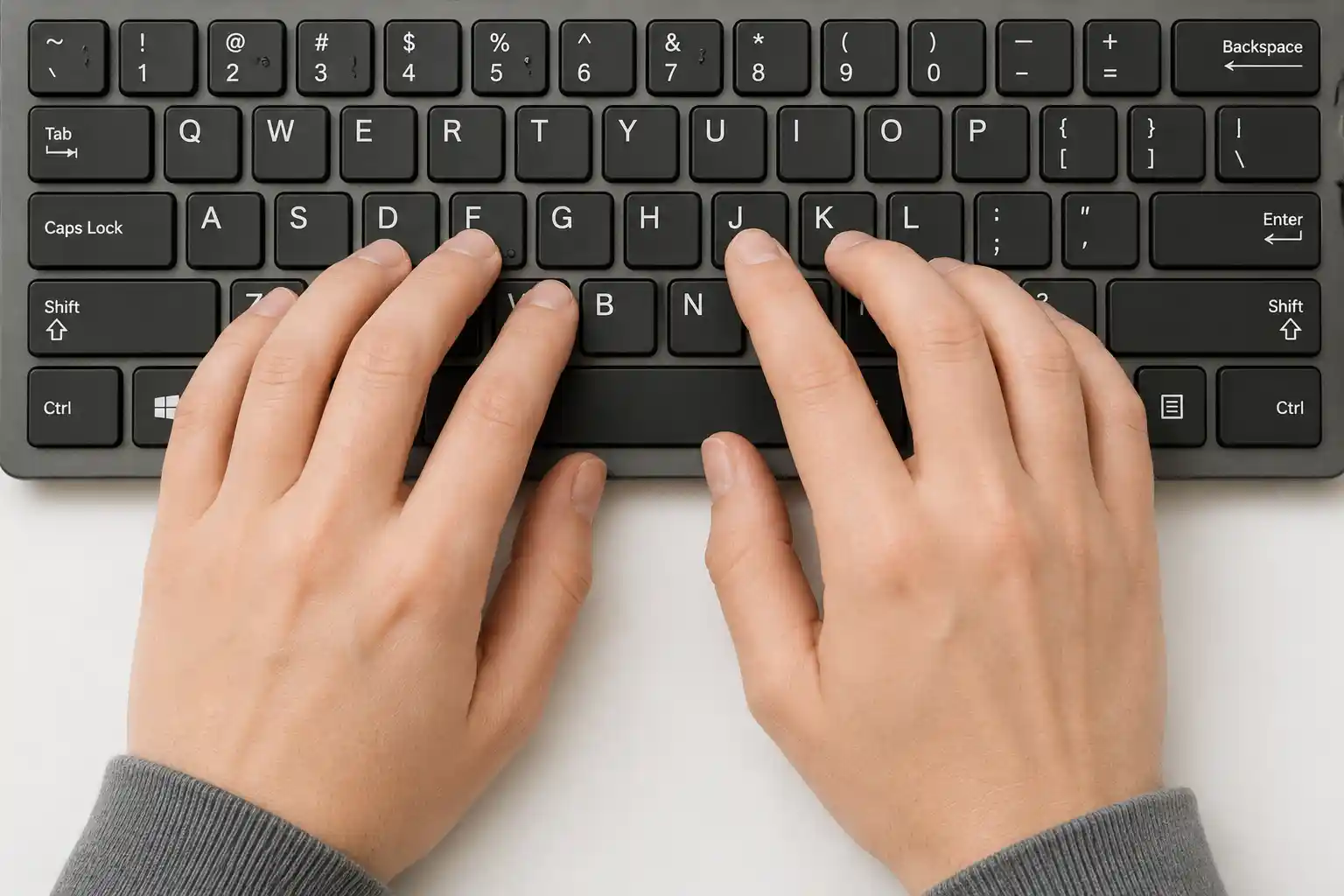
The foundation of touch typing is the "home row" — the middle row of letter keys on a standard QWERTY keyboard. The left hand rests on A, S, D, and F, while the right hand rests on J, K, L, and the semicolon key. Small raised bumps on the F and J keys help typists find this position without looking down. From this home row, each finger has a designated reach to the keys above and below it, covering the entire keyboard in a consistent, repeatable pattern.
This is fundamentally different from "hunt and peck" typing, where a person searches for each key visually before pressing it, typically using only two fingers. Hunt and peck typing is slow, tiring, and prone to errors because the eyes must constantly shift between the screen and the keyboard, breaking concentration and disrupting flow.
Why Touch Typing Matters in Today's Digital World
We type more than we write by hand today — emails, reports, code, messages, social posts, and documents all flow through a keyboard. The ability to type quickly and accurately has a direct impact on productivity, communication, and even cognitive load.
1. Increased Typing Speed
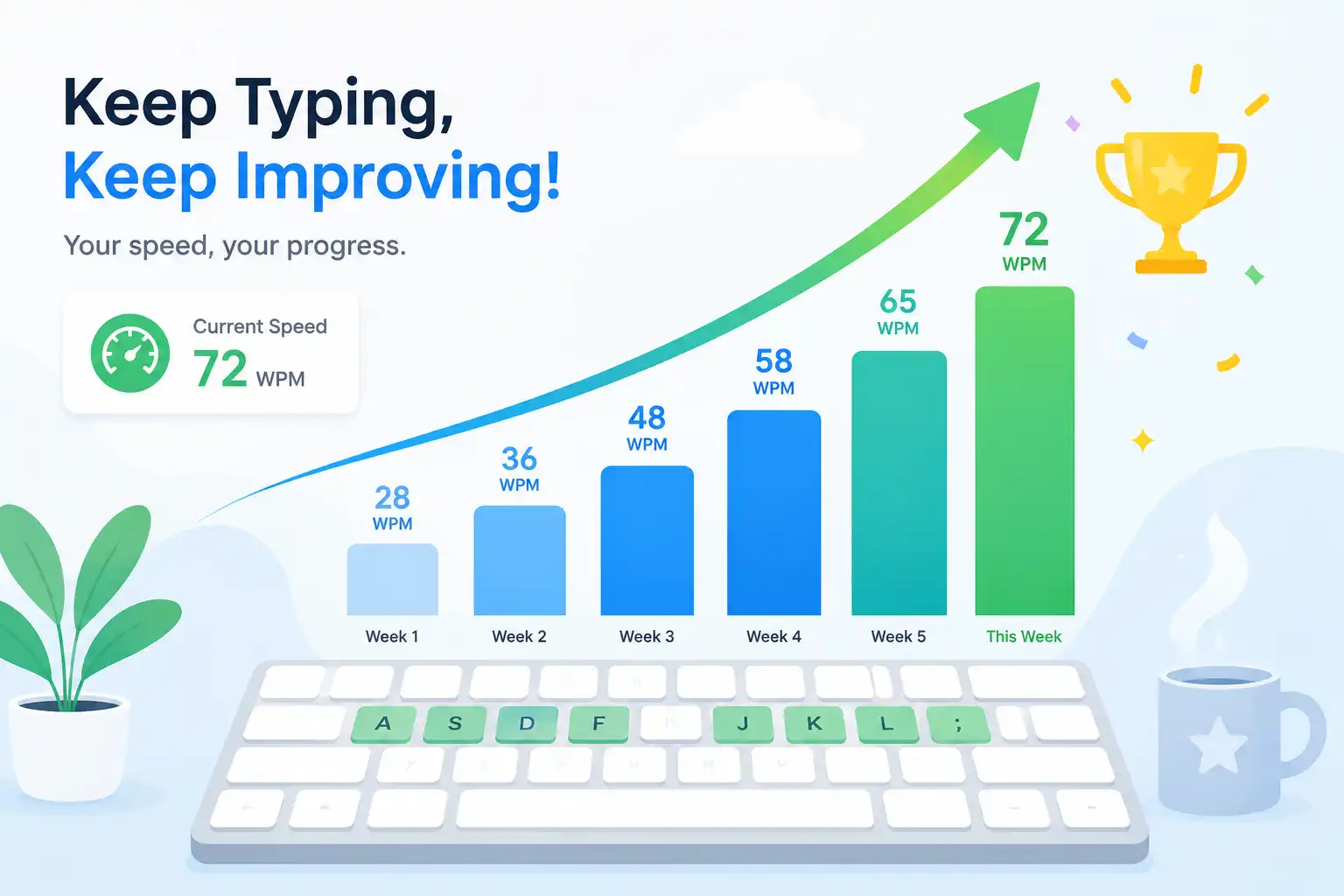
The most obvious benefit of touch typing is speed. A trained touch typist can reach 60 to 100 words per minute or more, compared to the 20 to 40 words per minute typical of hunt-and-peck typists. Over the course of a workday, that difference compounds into hours of saved time.
2. Greater Accuracy
Because touch typists rely on consistent finger placement rather than visual searching, they tend to make fewer typos. Muscle memory is remarkably reliable once developed, often outperforming the eye-hand coordination required for hunt-and-peck typing.
3. Reduced Physical Strain
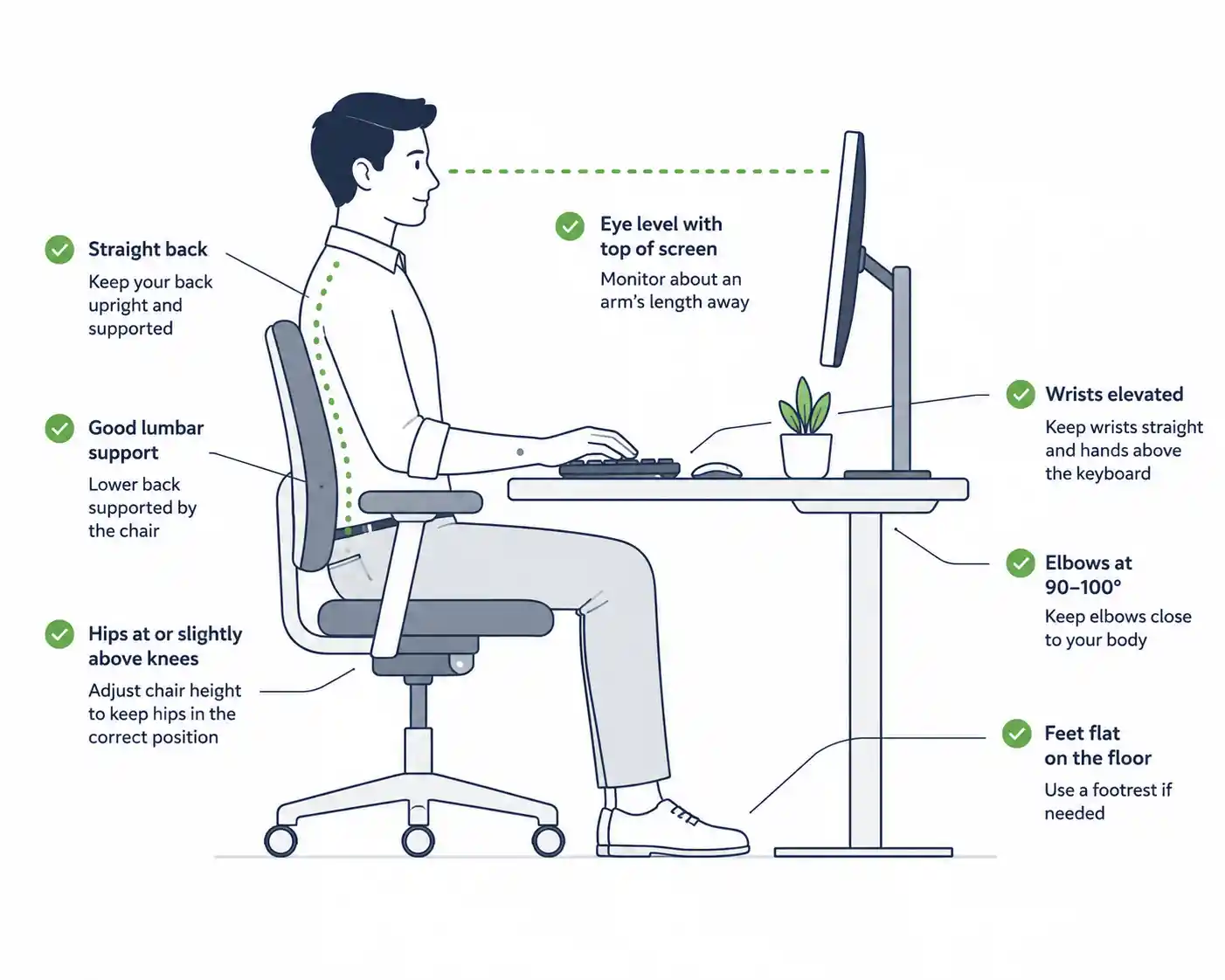
Constantly looking down at the keyboard and back up at the screen places strain on the neck and eyes. Touch typing keeps the head in a neutral, forward-facing position, which can reduce fatigue during long typing sessions and support better overall posture.
4. Improved Focus and Cognitive Flow
When typing becomes automatic, mental energy is freed up for the actual content being created — whether that's an essay, a piece of code, or a business proposal. Writers in particular benefit from this, as the physical act of typing no longer interrupts the flow of ideas.
5. Professional Advantage
Many jobs, from administrative roles to software development to customer support, implicitly or explicitly expect strong typing skills. Being able to type quickly and accurately can make a noticeable difference in job performance, deadlines, and even hiring assessments that test typing speed directly.
The Core Technique: Finger Placement and Home Row
Mastering touch typing starts with internalizing the home row layout:
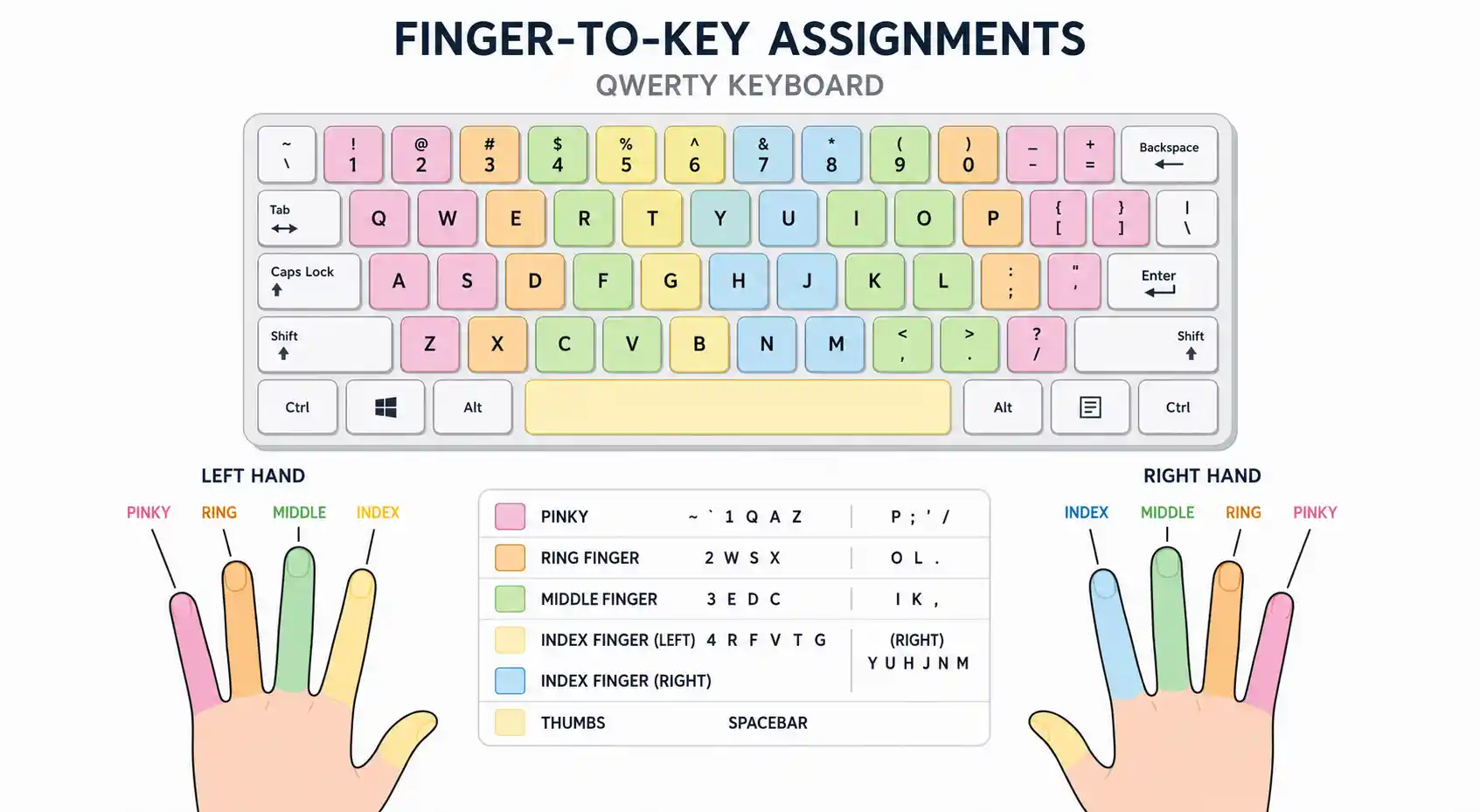
- Left hand: Pinky on A, ring finger on S, middle finger on D, index finger on F
- Right hand: Index finger on J, middle finger on K, ring finger on L, pinky on the semicolon key
- Thumbs: Rest on the spacebar
From this base position, each finger is responsible for a specific vertical column of keys. For example, the left index finger covers F, R, T, G, V, and B, while the right index finger covers J, U, Y, H, N, and M. After pressing any key, the finger returns to its home row position, ready for the next keystroke.
Learning this layout takes repetition. At first, it will feel slower and more awkward than your old typing habits — this is completely normal and is a sign that new motor patterns are forming. Many people experience a temporary dip in speed before surpassing their previous hunt-and-peck pace.
Step-by-Step Techniques for Learning Touch Typing
1. Start With Posture and Setup
Sit with your back straight, feet flat on the floor, and wrists slightly elevated above the keyboard (not resting on the desk while typing). Position the keyboard directly in front of you, and keep the screen at eye level to avoid neck strain.
2. Memorize the Home Row First
Before attempting full sentences, spend time simply practicing moving each finger to its home row key and back. Type strings like "asdf jkl;" repeatedly until it feels automatic.
3. Expand to Adjacent Rows
Once the home row feels natural, move to the top row (Q, W, E, R, T, Y, U, I, O, P) and bottom row (Z, X, C, V, B, N, M). Practice short, repetitive drills that isolate each new row before combining them.
4. Practice With Real Words and Sentences
After the individual keys feel comfortable, shift to typing common words, then full sentences. This builds the bridge between isolated key memory and natural, flowing typing.
5. Type Without Looking — Even If You're Slow
The temptation to peek at the keyboard is strong, especially early on. Resist it. Covering the keyboard with a cloth or using a typing tutor that hides the keys can help break the habit of looking down.
6. Practice Daily in Short Sessions
Consistency beats intensity. Fifteen to twenty minutes of focused daily practice will build muscle memory faster than occasional long sessions.
7. Gradually Increase Speed, Then Accuracy
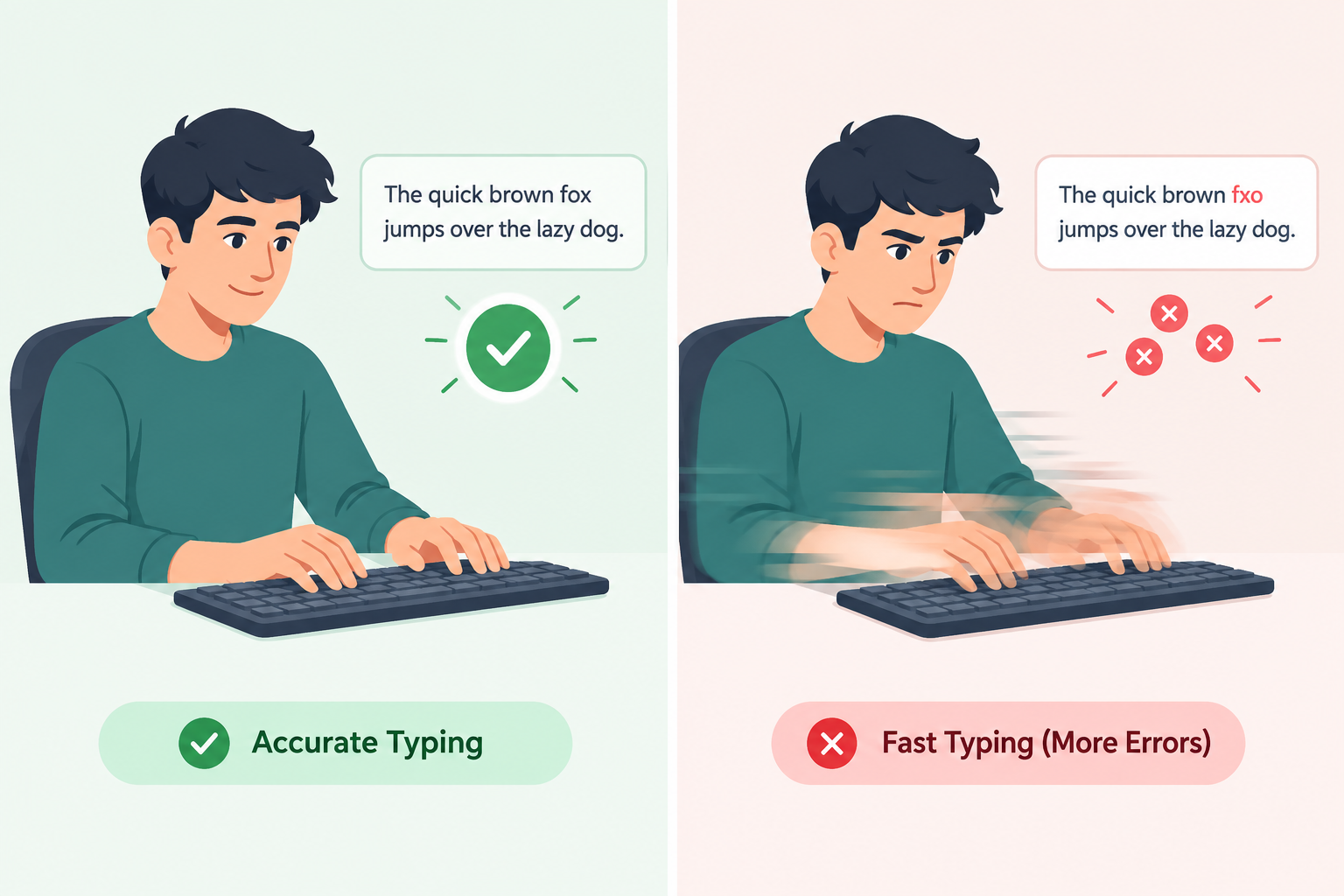
Many beginners try to type fast immediately, which leads to errors and frustration. The better approach is to type slowly and accurately first, then gradually increase speed once the correct finger patterns are fully automatic. Speed without accuracy creates bad habits that are harder to unlearn later.
Common Mistakes to Avoid
- Looking down at the keyboard: Even occasional glances slow the development of muscle memory. Trust the process and resist the urge.
- Using the wrong finger for a key: It might feel faster in the moment to use whatever finger is closest, but this undermines the consistency that makes touch typing effective long-term.
- Practicing too fast, too soon: Speed should be the last thing you optimize, not the first.
- Skipping warm-ups: Like any physical skill, typing benefits from a brief warm-up period, especially during long work sessions.
- Inconsistent practice: Sporadic practice sessions make it harder for muscle memory to solidify. Short, daily sessions are far more effective than occasional marathon sessions.
Tools and Resources for Practice
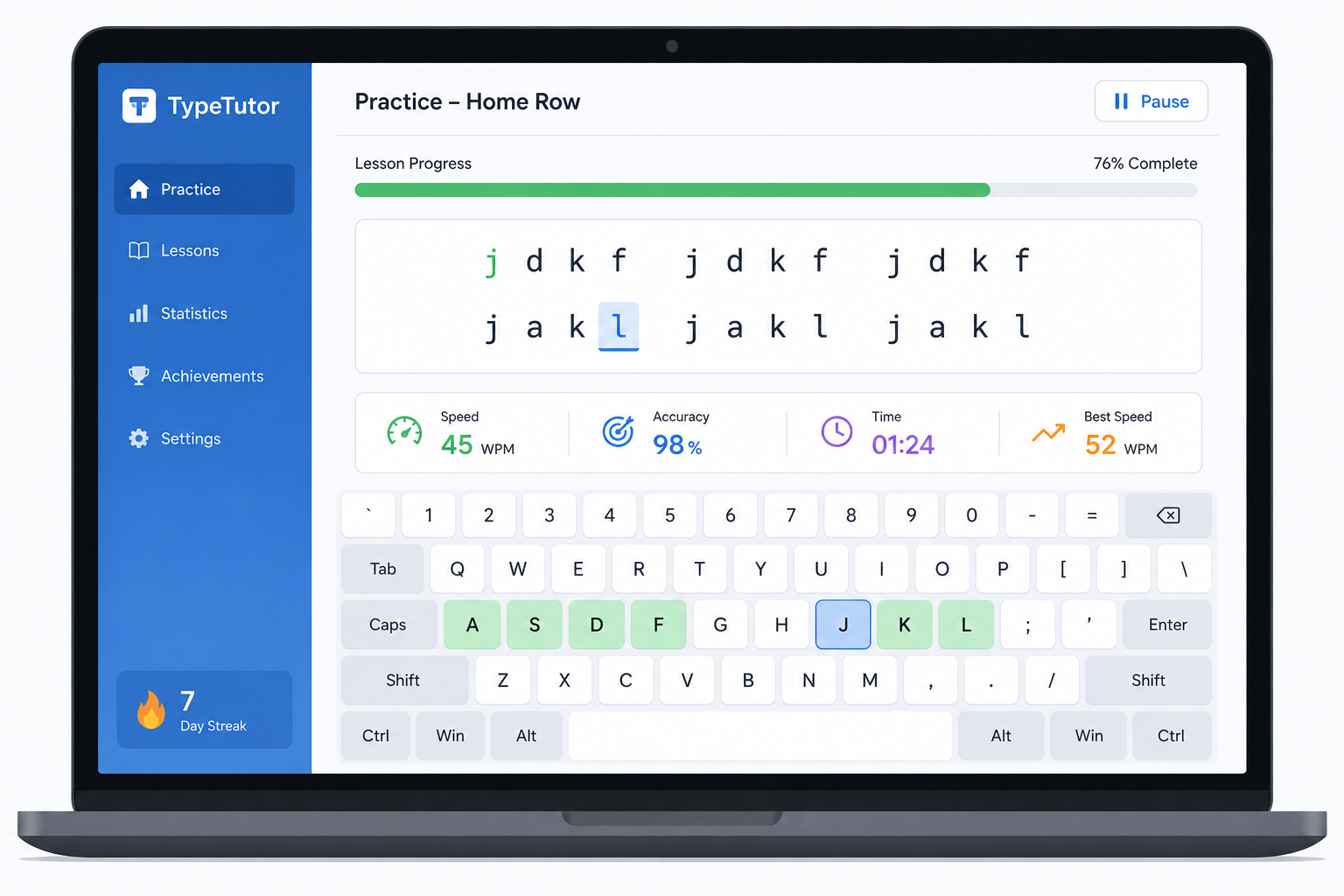
A variety of typing tutors and practice platforms are available to help structure your learning, many of which offer guided lessons, timed tests, and games designed to reinforce proper finger placement. Look for tools that:
- Provide structured lessons starting from the home row
- Offer real-time feedback on accuracy and speed
- Track your progress over time
- Include exercises using real words and sentences, not just random characters
Typing games can also make practice more enjoyable, particularly for younger learners, by turning repetitive drills into an engaging challenge.
Tips for Long-Term Mastery
Even after the basics are learned, touch typing is a skill that benefits from ongoing refinement.
- Set realistic speed goals. Aiming for 40 to 60 words per minute is a reasonable target for most users, with advanced typists reaching 80 to 100+ words per minute over time.
- Track accuracy alongside speed. A high words-per-minute score with frequent errors is less valuable than a slightly slower pace with near-perfect accuracy.
- Practice with varied content. Typing different types of text — casual writing, technical terms, numbers, and punctuation — helps build versatility.
- Take breaks to avoid strain. Even with proper technique, extended typing sessions benefit from short breaks to rest the hands and eyes.
- Revisit fundamentals periodically. If you notice speed plateauing or bad habits creeping in, returning to basic home row drills can help reset proper form.
Final Thoughts
Touch typing is one of those rare skills that pays dividends in nearly every area of digital life — from school assignments and professional emails to creative writing and coding. While it requires patience and consistent practice to learn properly, the long-term benefits in speed, accuracy, posture, and focus make it well worth the investment. Whether you are a student typing your first essays or a professional looking to reclaim hours of lost productivity, mastering touch typing is a skill that will continue to serve you for years to come.