
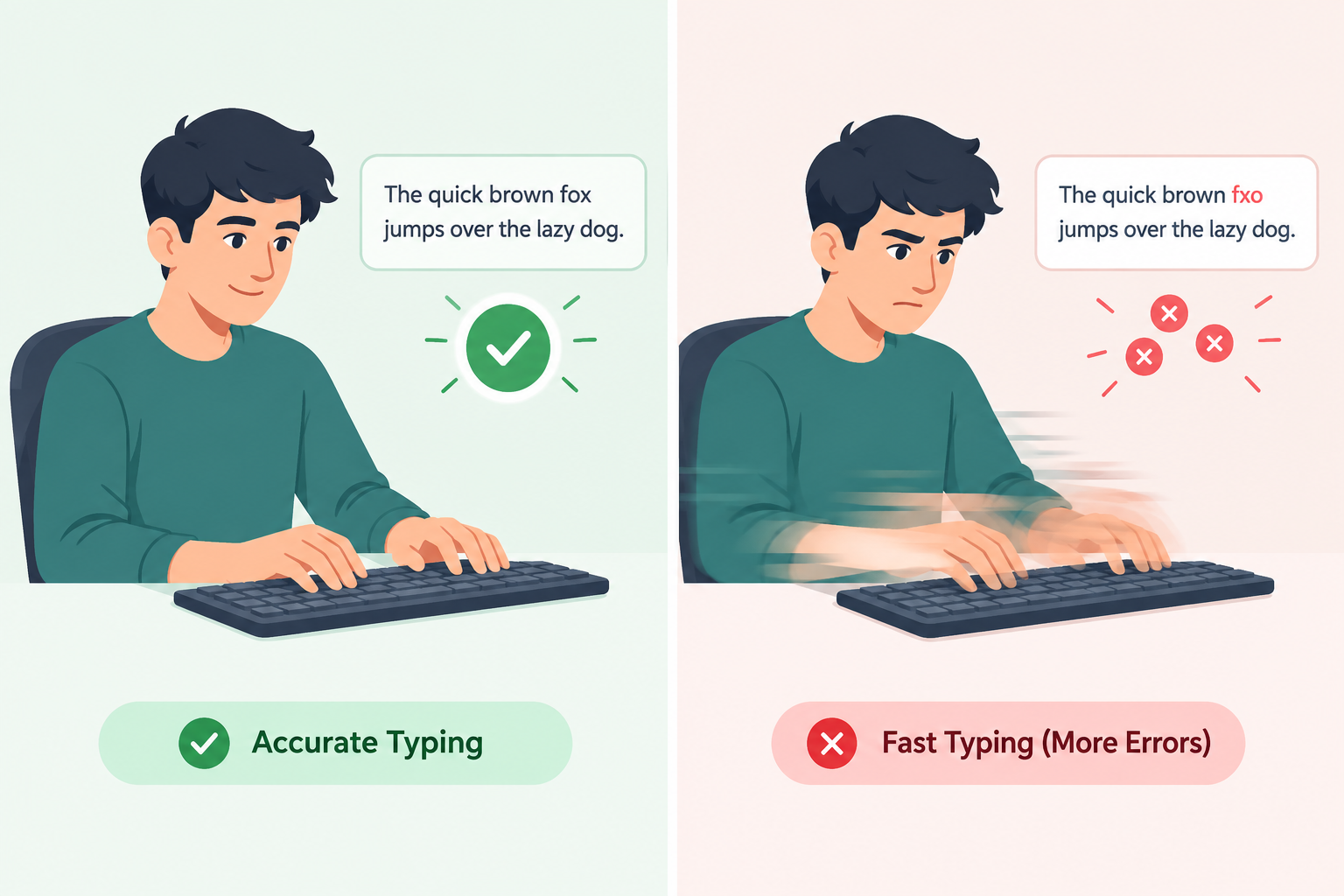
Should you slow down and nail every keystroke before chasing a higher WPM? Or should you type as fast as you can and let accuracy catch up naturally? This is one of the most common questions asked by students preparing for typing certifications, professionals who spend hours on a keyboard, and even competitive typists chasing leaderboard rankings.
This guide breaks down the debate in detail, explains the psychology and mechanics behind typing skill development, and gives you a clear, evidence-based answer on which one deserves your attention first. If you want to see where you currently stand, you can always take a quick typing test before reading on.
Why This Debate Matters
Typing is no longer a niche office skill — it is a foundational literacy skill for the modern world. Students type essays and take timed exams online. Programmers write thousands of lines of code every week. Customer support agents, writers, data-entry clerks, and virtual assistants are often measured directly by how much they can type in an hour.
Because typing performance is so visible and quantifiable, people naturally want to optimize it. But optimizing the wrong metric first can create bad habits that are difficult to undo later. A person who trains for raw speed without accuracy might type 90 WPM but need to retype half of what they wrote. A person who trains only for accuracy might type a flawless paragraph at a painfully slow 20 WPM, which becomes a bottleneck in real-world tasks with deadlines.
Understanding the trade-off — and the right sequence for building both skills — can save you months of frustrating plateaus.
What Typing Accuracy Really Means
Typing accuracy is usually expressed as a percentage: the number of correctly typed characters divided by the total characters typed, multiplied by 100. A 97% accuracy score means that, on average, 3 out of every 100 characters you type are wrong.
But accuracy is more than a statistic. It reflects:
- Muscle memory precision — how reliably your fingers land on the correct keys without looking.
- Cognitive load management — how well your brain can focus on content (what you're writing) rather than mechanics (how you're typing it).
- Error recovery efficiency — how quickly and cleanly you notice and fix a mistake.
High accuracy is the foundation of "invisible typing" — the state where your fingers move correctly without conscious effort, freeing your brain to focus entirely on ideas rather than key placement.
What Typing Speed Really Means
Typing speed, measured in WPM, tells you how much text you can produce in a given time. The standard convention counts one "word" as five characters, including spaces, so a 60 WPM typist is producing roughly 300 characters per minute.
Speed is influenced by:
- Reaction time between seeing/thinking a letter and pressing the corresponding key.
- Finger travel distance — how efficiently your fingers move across the keyboard.
- Chunking ability — typing familiar words or syllables as single motor patterns instead of individual letters.
- Rhythm and flow — maintaining a steady cadence instead of stopping and starting.
Speed without context is a fairly meaningless number. Someone who can type gibberish at 100 WPM has not demonstrated a useful skill. Speed only matters when paired with a reasonable accuracy threshold. If you're curious how your own WPM compares to others, check out our breakdown of average typing speed by age and profession and what actually counts as a good typing speed.
The Case for Prioritizing Accuracy First
Most professional typing instructors and touch-typing curricula — including classic programs used in schools for decades — teach accuracy before speed, for several well-supported reasons. If you haven't yet built proper finger placement, our full touch typing guide is a good place to start before diving into drills.
1. Speed is a natural byproduct of accuracy, but not vice versa. When you consistently hit the correct keys, your brain reinforces the correct neural pathway every single time. Repetition without error strengthens muscle memory in the right direction. Speed then increases as a side effect of confidence and fluency, because your fingers no longer hesitate over a key you're unsure about.
2. Practicing speed with errors reinforces the wrong habits. If you rush before your fingers know the keyboard layout, you train your muscle memory on incorrect patterns. Every mistake you don't correct becomes a habit that is progressively harder to unlearn. This is sometimes called "error entrenchment," and it is far more time-consuming to fix than to prevent.
3. Real-world writing rarely rewards raw speed alone. A document full of typos takes longer to proofread and correct than it would have taken to type slowly and correctly the first time. In professional settings — legal documents, medical records, code, customer emails — errors carry real costs, sometimes serious ones.
4. Accuracy builds confidence, and confidence enables speed. When your fingers trust the keyboard, hesitation disappears. Hesitation is one of the biggest hidden speed killers, often costing far more time than the error correction itself.
The Case for Prioritizing Speed First
Despite the strong argument for accuracy-first training, there is a reasonable counter-case, especially for certain learners and goals.
1. Speed training exposes weaknesses accuracy training might miss. Typing quickly reveals which specific letter combinations or finger transitions cause you to stumble. This information can help you target practice more precisely instead of vaguely drilling "accuracy" in the abstract.
2. Some competitive and professional contexts genuinely reward raw output. Speed typing competitions, certain data-entry jobs, and transcription work sometimes have minimum WPM thresholds where a slightly lower accuracy is an acceptable trade-off, especially if the workflow includes a review or spellcheck stage.
3. Momentum and rhythm are themselves a skill. Typing at a natural, flowing pace — even with a few extra errors — trains a different and valuable skill: not freezing up or overthinking each keystroke. Overly cautious, accuracy-obsessed typists sometimes develop a stiff, hesitant style that is hard to loosen later.
4. Deadlines don't wait. For working professionals under time pressure, spending months perfecting accuracy before ever practicing speed may not be practical. Some structured overlap is often necessary.
What Science and Typing Coaches Actually Recommend
The consensus among typing researchers, ergonomics specialists, and professional typing coaches leans clearly toward accuracy first, speed second — but with an important nuance: the two should be trained in overlapping cycles rather than as two completely separate phases.
The generally recommended approach looks like this:
- Beginner stage (0–3 weeks): Focus almost entirely on hitting the correct keys with proper finger placement, even if this means typing at 10–15 WPM. Accuracy target: 95%+.
- Intermediate stage (3–8 weeks): Once accuracy is consistently above 95%, begin timed drills that gently push speed while monitoring accuracy doesn't drop below 90%.
- Advanced stage (2+ months): Alternate between speed bursts and accuracy-focused slow drills, always returning to a baseline accuracy check after any speed-focused session.
This cyclical model prevents the common trap of plateauing at a "fast but sloppy" or "accurate but slow" stage indefinitely.
Case Study: Two Learners, Two Approaches
To see this play out in practice, consider two hypothetical but realistic learners — both starting from the same beginner level, both practicing 20 minutes a day for eight weeks, but following opposite strategies.
Learner A — "Speed First": From day one, Learner A opened a timer, picked random paragraphs, and tried to beat their previous WPM score every single session. Mistakes were ignored in the moment ("I'll clean it up later") in favor of raw pace.
Learner B — "Accuracy First": Learner B spent the first two weeks with no timer at all, focusing purely on correct finger placement and zero-error sentence drills. Only after consistently hitting 97%+ accuracy did they begin introducing timed sessions, and even then, they slowed down immediately if accuracy dropped.
Here's how their results compared after eight weeks:
| Week | Learner A (Speed First) — WPM / Accuracy | Learner B (Accuracy First) — WPM / Accuracy |
|---|---|---|
| Week 1 | 22 WPM / 78% | 12 WPM / 96% |
| Week 2 | 29 WPM / 74% | 15 WPM / 97% |
| Week 4 | 38 WPM / 80% | 27 WPM / 97% |
| Week 6 | 44 WPM / 81% | 41 WPM / 98% |
| Week 8 | 47 WPM / 83% | 52 WPM / 98% |
What happened: Learner A had an early lead in raw speed, which felt motivating at first. But their accuracy plateaued in the high-70s to low-80s because early errors had already become muscle-memory habits — habits that took extra, frustrating effort to unlearn later. By week 6, Learner A's progress had visibly slowed, and several practice sessions were spent simply "fixing" ingrained mistakes rather than building new speed.
Learner B looked slower on paper for the first month, which can feel discouraging. But because every repetition was reinforcing correct motor patterns, their speed increases came faster and more consistently once they started timing themselves. By week 8, Learner B had not only caught up in speed but overtaken Learner A — while maintaining meaningfully higher accuracy.
The takeaway: the early "lead" that speed-first practice creates is often an illusion. It looks like faster progress in the short term, but it frequently hides a ceiling that accuracy-first learners don't hit, because their foundation is built correctly from the start. This mirrors what most structured typing curricula and coaching programs report anecdotally, and it's consistent with the automaticity principle discussed in the next section.
The Hidden Relationship Between Accuracy and Speed
One of the most overlooked truths in typing skill development is that speed and accuracy are not actually opposing forces — they are two expressions of the same underlying skill: automaticity.
Automaticity is the point at which a motor task becomes so ingrained that it no longer requires conscious thought. A skilled typist doesn't consciously decide "reach for the J key" — the motion simply happens. At full automaticity, high speed and high accuracy occur simultaneously, because both are outputs of the same well-trained neural pathway.
This explains why forcing speed before automaticity develops tends to backfire (it strains a pathway that isn't ready), while forcing extreme slowness past the point of usefulness can also stall progress (because it never trains the fluid, connected motion that real typing requires).
The real goal, then, isn't "accuracy versus speed" — it's accuracy at a gradually increasing pace, always staying just at the edge of your comfort zone rather than jumping to either extreme.
A Step-by-Step Plan: Building Accuracy Before Speed
If you're starting from scratch or resetting bad habits, here is a structured plan:
- Learn proper finger placement (home row position). Spend the first few sessions purely on hand posture and finger-to-key mapping, without any timer. Our home row keys lesson is built exactly for this stage.
- Type slowly, focusing only on zero mistakes. Use short drills (one to two sentences) and repeat until you can complete them with 100% accuracy at a comfortable, unhurried pace. Try the home row words drill for a structured version of this.
- Introduce a soft timer, but ignore the WPM number. Watch your accuracy percentage instead. If it drops below 95%, slow down again. The accuracy mastery lesson is designed to reinforce this exact habit.
- Gradually shrink your "comfortable" pace. Every few days, nudge your natural pace up by a small amount, only after accuracy has stabilized at the current pace.
- Add short speed bursts (30–60 seconds). Once accuracy is reliable, use brief timed sprints to test your ceiling, then return to controlled practice. The 40 WPM speed burst lesson is a good first target.
- Review your error patterns weekly. Identify which specific keys or letter pairs you consistently miss and drill those individually.
- Simulate real tasks. Practice typing actual emails, code snippets, or essays rather than only generic drill sentences, since real content has different rhythm and vocabulary patterns — our email typing drill and technical/code typing drill are good examples to practice with.
Common Mistakes People Make
- Watching the WPM counter obsessively during practice. This creates anxiety and encourages rushing, which undermines accuracy training.
- Ignoring finger placement in favor of "whatever works." Bad habits formed early are extremely hard to correct later and often cap your long-term speed potential.
- Never reviewing which specific errors are recurring. Generic practice without targeted correction wastes time on keys you've already mastered.
- Practicing only in short, infrequent bursts. Consistency (even 10–15 minutes daily) beats occasional long sessions for building automaticity.
- Comparing your progress to unrealistic online rankings. Professional typists often took years to reach 100+ WPM; comparing your week-two results to their scores creates discouragement, not motivation.
- Assuming you're "just bad at typing" instead of identifying the real cause. Struggling more than expected? Our article on why typing is so hard for so many people breaks down the common root causes and how to fix them.
Tools and Techniques to Practice Both
- Typing tutor software that separates "accuracy mode" and "speed mode" drills, so you can deliberately choose which skill to train in a given session.
- Typing games that reward rhythm and consistency rather than pure speed, which can make accuracy practice feel less tedious.
- Error-heatmap tools that visually show which keys you miss most often, letting you target practice precisely.
- Metronome-paced typing drills, where you type in sync with a steady beat to build even, controlled rhythm before increasing tempo.
- Real-content practice, such as retyping paragraphs from books, your own notes, or code you've written, to bridge the gap between drills and real-world use.
How to Measure Your Progress
Track both numbers every session, but weight them differently depending on your stage:
| Stage | Priority Metric | Target Accuracy | Target Speed |
|---|---|---|---|
| Beginner | Accuracy | 95%+ | Not tracked |
| Intermediate | Balanced, accuracy-led | 95%+ | Gradual increase |
| Advanced | Speed, accuracy-gated | 97%+ maintained | Personal best push |
A simple rule of thumb many coaches use: never let your accuracy fall more than 3–5 percentage points below your baseline just to hit a new speed record. If it does, you're likely reinforcing bad habits rather than genuinely improving.
Once you feel ready to test both skills under pressure, try the ultimate speed and accuracy challenge, or see how you rank against other typists on the global leaderboard.
Real-World Scenarios: Which Matters More?
- Writing a novel or article: Accuracy matters more moment-to-moment, since ideas flow better without constant backspacing, though editing passes will catch remaining errors.
- Coding: Accuracy is critical — a single mistyped character can break a program, and syntax errors often cost more time to debug than they would have taken to type correctly the first time.
- Customer support chat: A blend is ideal — reasonable speed to keep response times low, but enough accuracy to avoid embarrassing typos in professional communication.
- Data entry with a validation system: Speed can be prioritized slightly more, since many systems flag errors automatically for correction.
- Typing certification exams: Most certification tests explicitly penalize errors more heavily than they reward extra speed, making accuracy the dominant factor in your final score.
Final Verdict
If you had to pick just one skill to prioritize first, accuracy should come before speed in almost every case. Accuracy builds the correct neural and muscular foundation, and speed grows naturally out of that foundation as confidence and automaticity increase. Chasing speed first tends to entrench bad habits that are costly to reverse.
That said, the healthiest long-term approach doesn't treat this as a strict either-or choice. Once your accuracy reaches a solid, dependable level (generally 95% or higher), you should begin introducing controlled speed challenges rather than continuing to train accuracy in isolation indefinitely. The two skills reinforce each other once a baseline of correctness is established.
Conclusion
Typing well is not really about choosing between two competing goals — it's about understanding the natural order in which real skill develops. Start by training your fingers to hit the right keys reliably, without rushing. Let your confidence and muscle memory mature. Then, and only then, start pushing your pace, always keeping an eye on your accuracy so it doesn't quietly slip in exchange for a slightly higher number on the screen.
Whether you're a student preparing for an exam, a professional typing all day for work, or simply someone who wants to stop hunting and pecking, remember this simple sequence: accuracy first, speed second, and both together forever after.