Table of Contents
The good news is that typing speed is one of the most trainable skills out there. With the right habits, a bit of daily practice, and a clear understanding of what "good" actually means, almost anyone can get noticeably faster within a month. In this guide, we'll break down what WPM really means, what the average typing speed looks like across different experience levels, how typing tests measure your performance, and — most importantly — practical tips to improve typing speed on a computer without burning out or picking up bad habits.
What Is WPM (Words Per Minute)?
WPM stands for Words Per Minute, and it's the standard unit used to measure typing speed. In most typing tests, a "word" isn't counted by whether it's a real dictionary word — instead, it's standardized as five characters, including spaces. So if you type "The quick brown fox jumps" (25 characters), that's counted as 5 words, regardless of the actual words used.
This standardization matters because it keeps typing speed tests fair and consistent. Without it, someone typing lots of short words like "a," "I," and "to" would appear artificially fast compared to someone typing longer, more complex words — even if both people are moving their fingers at the same physical pace.
The basic formula looks like this:
WPM = (Total characters typed ÷ 5) ÷ Time in minutes
Most typing tests also factor in accuracy, since typing quickly but making constant mistakes doesn't reflect real typing skill. This is often expressed as net WPM (your speed after errors are subtracted) versus gross WPM (your raw speed before corrections).
What Is the Average Typing Speed?
So, what is the average typing speed for a regular computer user? Based on data commonly reported by typing platforms and research on keyboarding skills, the average WPM typing speed for most adults typically falls somewhere in the 35–45 WPM range. That said, this number can shift quite a bit depending on age, profession, how often someone uses a keyboard, and whether they've had any formal typing training.
For context:
- Someone who rarely types (occasional emails, browsing) may average well below that range.
- Students and office workers who type daily tend to land closer to the middle or upper end.
- People in typing-heavy roles — like data entry clerks, transcriptionists, or programmers — often type noticeably faster than the general average.
It's worth noting that "average" figures vary across different studies and typing platforms, so treat any specific number as a general benchmark rather than a strict rule.
Average Typing Speed by Experience Level
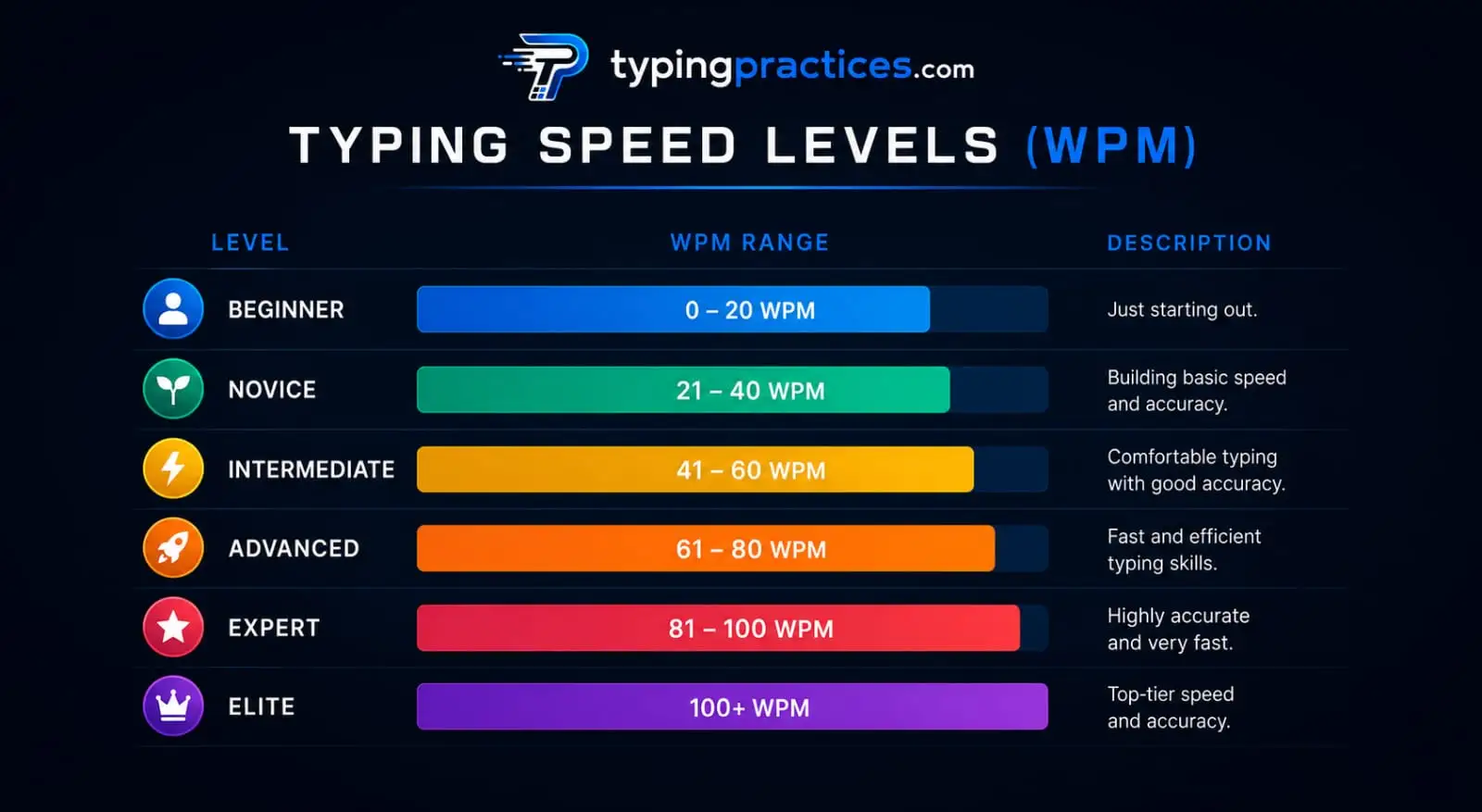
Here's a general breakdown of typing speed levels often used as informal benchmarks. These ranges are widely referenced across typing tools and educational resources, but they aren't universal or scientifically fixed — think of them as helpful guideposts rather than hard cutoffs.
| Level | Typical WPM Range | Description |
|---|---|---|
| Beginner | 10–25 WPM | Still learning finger placement; frequently looks at the keyboard |
| Average | 30–45 WPM | Comfortable typing without constantly checking the keyboard; typical for most everyday computer users |
| Good | 50–65 WPM | Efficient touch typing with decent accuracy; common among regular office and student typists |
| Advanced | 65–90 WPM | Strong touch-typing skills, often seen in professionals who type extensively (writers, programmers, admins) |
| Professional/Elite | 90+ WPM |
Highly trained typists, competitive typists, or professionals like transcriptionists and court reporters
|
What Is a Good Typing Speed?
This is one of the most searched questions, and understandably so — "good" is relative. Generally speaking:
- 40 WPM is considered a solid, functional typing speed for everyday tasks like emailing, messaging, and basic document work.
- 50–60 WPM is often viewed as a strong typing speed, suitable for most office and administrative jobs.
- 70+ WPM is generally considered fast and is often expected or preferred in roles that involve heavy typing, such as content writing, coding, customer support chat, or virtual assistance.
If you're asking "is 40 WPM a good typing speed?" — yes, for most general purposes, it is. It's above the lower end of the average range and is fast enough to keep up with normal typing demands without much friction. If you're asking "is 60 WPM fast?" — it's generally considered above average and is a typing speed many people aim for, especially those in typing-intensive jobs.
Ultimately, what counts as "good" depends heavily on context. A 40 WPM speed might be perfectly fine for a student writing essays, but a transcriptionist or data entry professional may need to type well above that to meet job requirements.
Want to see where you currently stand? Try a free typing speed test to get your real-time WPM and accuracy score before diving into a practice plan.
How Is Typing Speed Measured? How Typing Tests Work
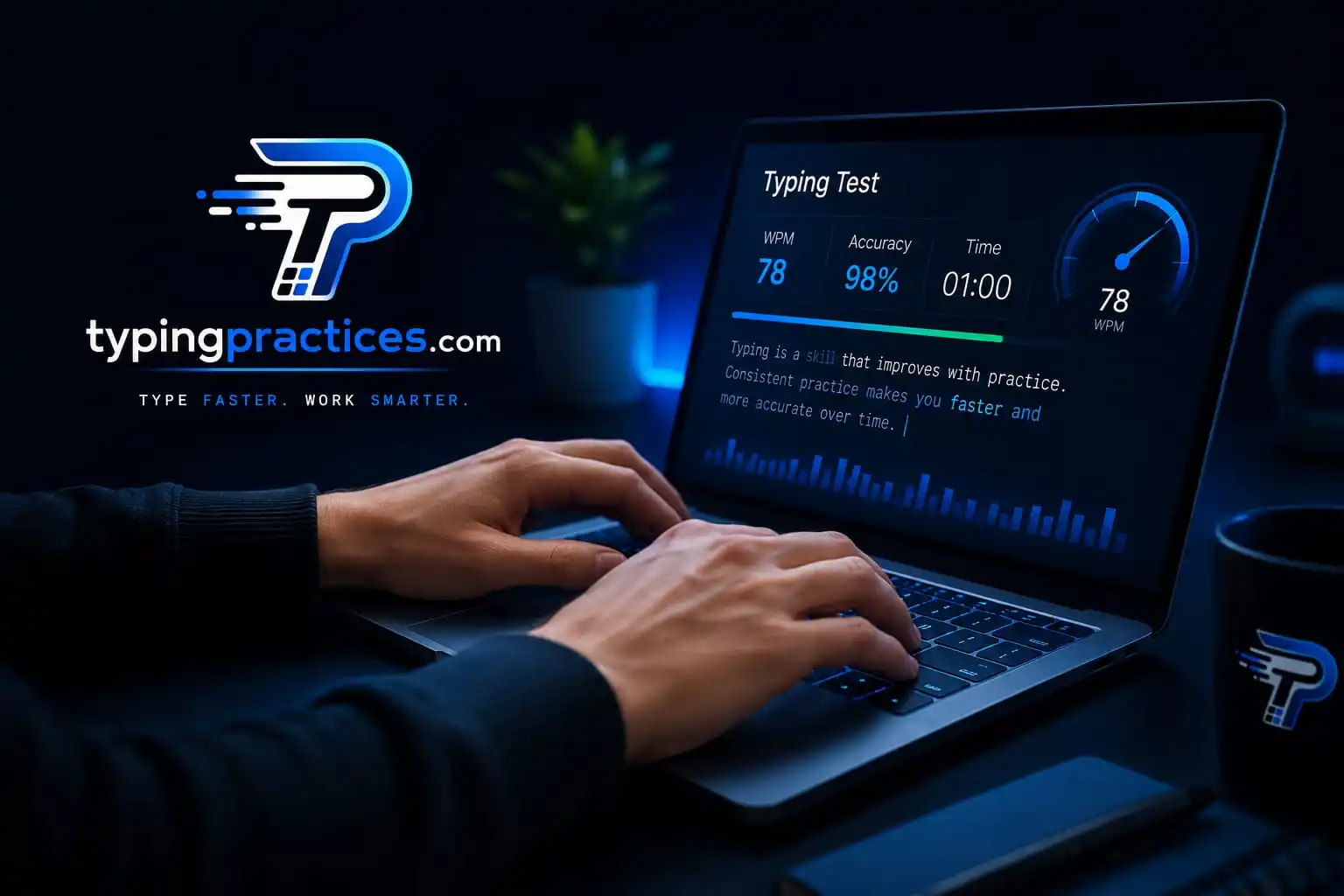
A typing speed test works by presenting you with a passage of text — sometimes random words, sometimes full sentences — that you need to type as accurately and quickly as possible within a set time limit, commonly 1, 3, or 5 minutes.
Here's what typically happens during a test:
- The timer starts the moment you begin typing (or when the test begins, depending on the platform).
- Every keystroke is tracked, including correct characters, incorrect characters, and corrections (like backspacing).
- At the end of the time limit, the platform calculates your total characters typed, divides by 5 to get "words," and divides that by the time in minutes to get your gross WPM.
- Errors are subtracted to calculate your net WPM, which is a more realistic measure of your actual typing performance.
- Accuracy percentage is calculated separately, usually as (correct characters ÷ total characters typed) × 100.
Most modern typing tests also track additional metrics like keystrokes per minute, error rate, and even which specific keys or letter combinations slow you down the most — useful data if you're serious about improving.
Consistent testing is one of the best ways to track real progress. Bookmark a reliable typing speed test and retake it weekly to monitor your growth over time.
Why Accuracy Matters as Much as Speed
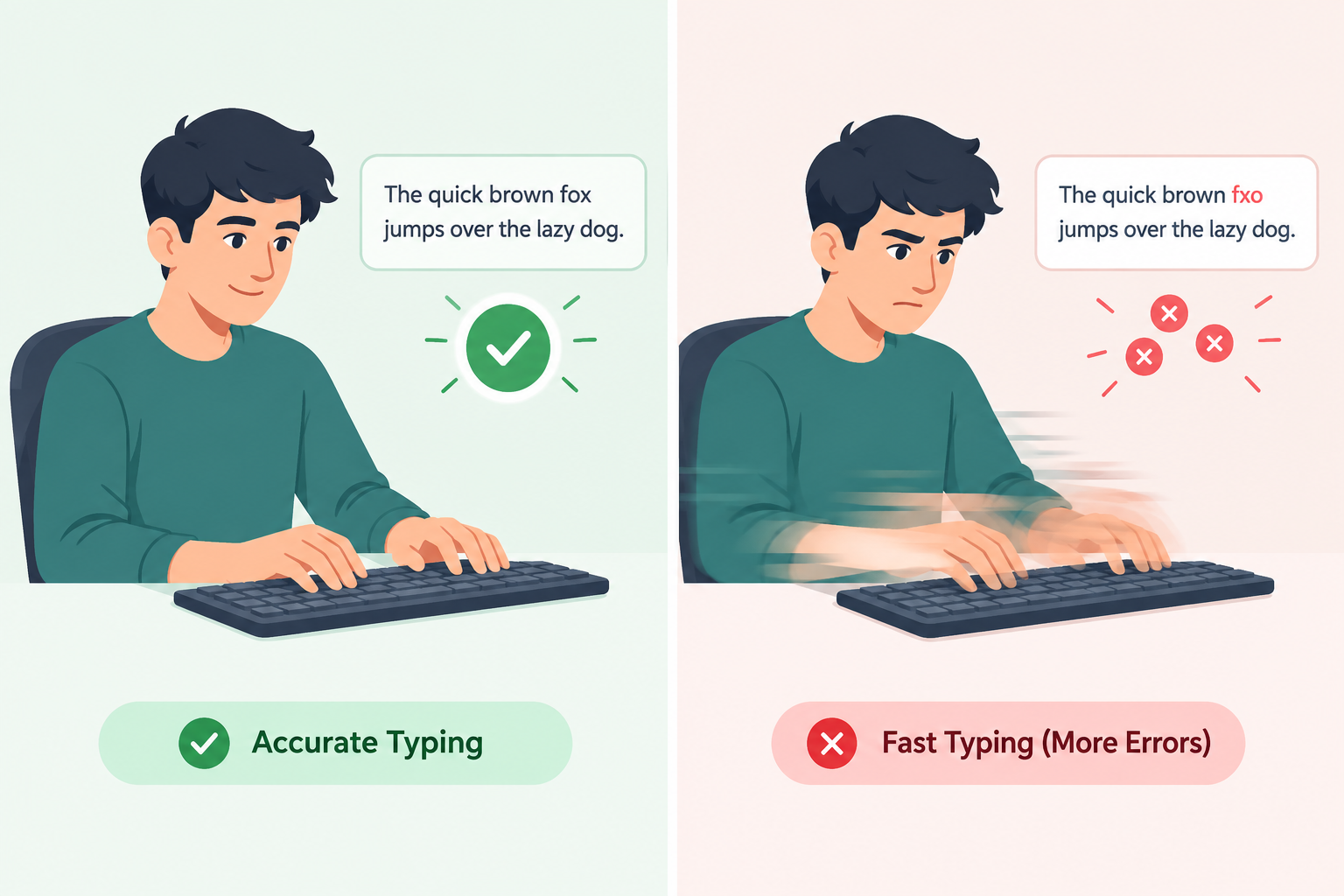
It's tempting to chase a high WPM number, but speed without accuracy is a bit like driving fast while frequently missing turns — you might look impressive for a moment, but you're not actually getting where you need to go efficiently.
Here's why accuracy deserves just as much attention as speed:
- Errors slow you down more than you think. Every mistake typically requires stopping, noticing the error, backspacing, and retyping — which often costs more time than typing a bit more slowly and carefully in the first place.
- Net WPM (not gross WPM) is what really counts. Most typing tests and real-world typing tasks care about your corrected output, not your raw, error-filled speed.
- Accuracy builds muscle memory. Typing correctly and consistently trains your fingers to hit the right keys automatically, which naturally increases speed over time.
- Professional contexts demand accuracy. Sending an email or report full of typos can undercut your credibility, regardless of how fast you typed it.
A good target to aim for is 95% accuracy or higher while typing, gradually increasing speed as that accuracy becomes consistent and effortless.
Tips to Improve Typing Speed on a Computer
If you're looking to genuinely improve typing speed on a computer, here are realistic, effective tips that go beyond "just practice more":
1. Learn (or Relearn) Proper Finger Placement
Touch typing — where each finger is assigned to specific keys without looking at the keyboard — is the foundation of fast, accurate typing. Start with your fingers resting on the "home row" (ASDF for the left hand, JKL; for the right) and build from there.
2. Practice With Purpose, Not Just Volume
Typing a lot doesn't automatically make you faster if you're reinforcing bad habits. Focused, short practice sessions (15–20 minutes) using structured typing practice tools tend to produce better results than long, unstructured typing sessions.
3. Slow Down to Speed Up
It sounds counterintuitive, but deliberately typing slightly slower while focusing on hitting the correct keys builds the accuracy and muscle memory that naturally lead to faster typing later.
4. Avoid Looking at the Keyboard
This is one of the biggest speed blockers. Every glance down breaks your rhythm and slows your overall pace. Cover the keyboard with a cloth or use a keyboard without visible letters if you need extra motivation to stop looking.
5. Use Proper Posture and Hand Position
Sitting up straight, keeping wrists elevated (not resting heavily on the desk), and positioning your keyboard at elbow height reduces fatigue and allows for smoother, faster movements.
6. Practice Common Words and Letter Combinations
Certain letter pairs (like "th," "er," "ing") appear constantly in everyday typing. Practicing these specifically can meaningfully boost your overall speed since they show up so frequently.
7. Take Regular Typing Speed Tests
Testing yourself regularly isn't just about tracking progress — it also trains you to type under light pressure, which mirrors real-world typing situations like timed assignments or fast-paced chat support roles.
8. Use Typing Games and Practice Software
Gamified typing practice keeps motivation high and often includes structured lessons that target weak spots, like specific fingers or key combinations you struggle with.
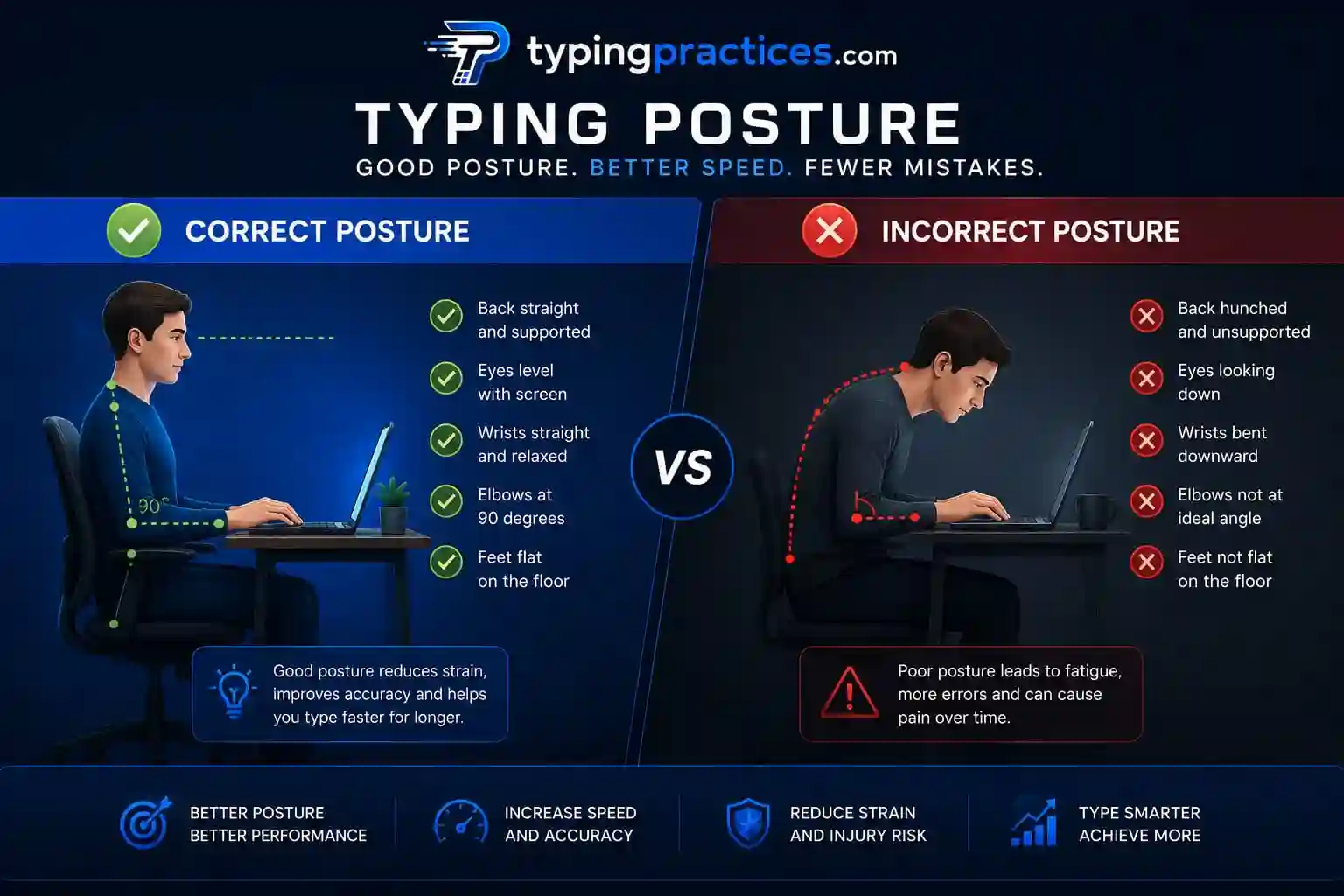
Ready to put these tips into action? Head over to a structured typing practice tool to work through drills tailored to your current skill level.
Fastest Typing Speeds: Records vs. Everyday Typing
When people search for "fastest typing speed," it's important to separate verified world records from typical high performers, since these numbers are often exaggerated or misquoted online.
- Verified competitive records: Officially recognized fastest typing speeds — set under controlled, monitored conditions, often using specific keyboards and short bursts of text — have historically exceeded 200 WPM, according to typing competition and record-tracking organizations. These results are exceptional and represent elite competitive typists, not typical outcomes.
- High-performing everyday typists: Among regular professionals (fast typists, competitive online typists, some transcriptionists), sustained speeds in the 100–130 WPM range are considered very fast and are far more representative of what a dedicated, highly practiced person might realistically achieve.
- What's realistic for most people: For the vast majority of typists — even those who practice consistently — speeds in the 70–100 WPM range represent a strong, fast, and very achievable long-term goal.
The key takeaway: viral claims of "300 WPM typists" are rare, often unverified, or achieved under very specific short-burst conditions that don't reflect sustained, real-world typing. Setting your sights on steady, achievable growth will serve you far better than chasing record-breaking numbers.
30-Day Typing Improvement Plan
Consistency beats intensity when it comes to building typing speed. Here's a realistic 30-day plan you can follow, whether you're a complete beginner or looking to push past a plateau.
Week 1: Build the Foundation (Days 1–7)
- Focus entirely on proper finger placement and home row positioning.
- Practice 15–20 minutes daily using slow, deliberate typing drills.
- Take a baseline typing speed test on Day 1 and Day 7 to measure early progress.
- Goal: Type without looking at the keyboard, even if it's slow.
Week 2: Build Accuracy (Days 8–14)
- Shift focus to accuracy over speed — aim for 95%+ accuracy in every practice session.
- Practice common letter combinations and short, frequent words.
- Introduce 20-minute daily sessions using structured typing practice software.
- Goal: Consistent accuracy without needing to glance at keys.
Week 3: Build Speed (Days 15–21)
- Gradually increase typing pace while maintaining accuracy above 90%.
- Add short, timed typing speed tests (1–3 minutes) every other day.
- Practice typing full sentences and paragraphs rather than isolated words.
- Goal: Noticeable WPM increase from your Week 1 baseline.
Week 4: Build Consistency and Confidence (Days 22–30)
- Combine speed and accuracy drills in the same session.
- Simulate real-world typing tasks — emails, short paragraphs, chat-style responses.
- Take a final typing speed test on Day 30 and compare it to your Day 1 results.
- Goal: A measurable, sustainable improvement in both WPM and accuracy.
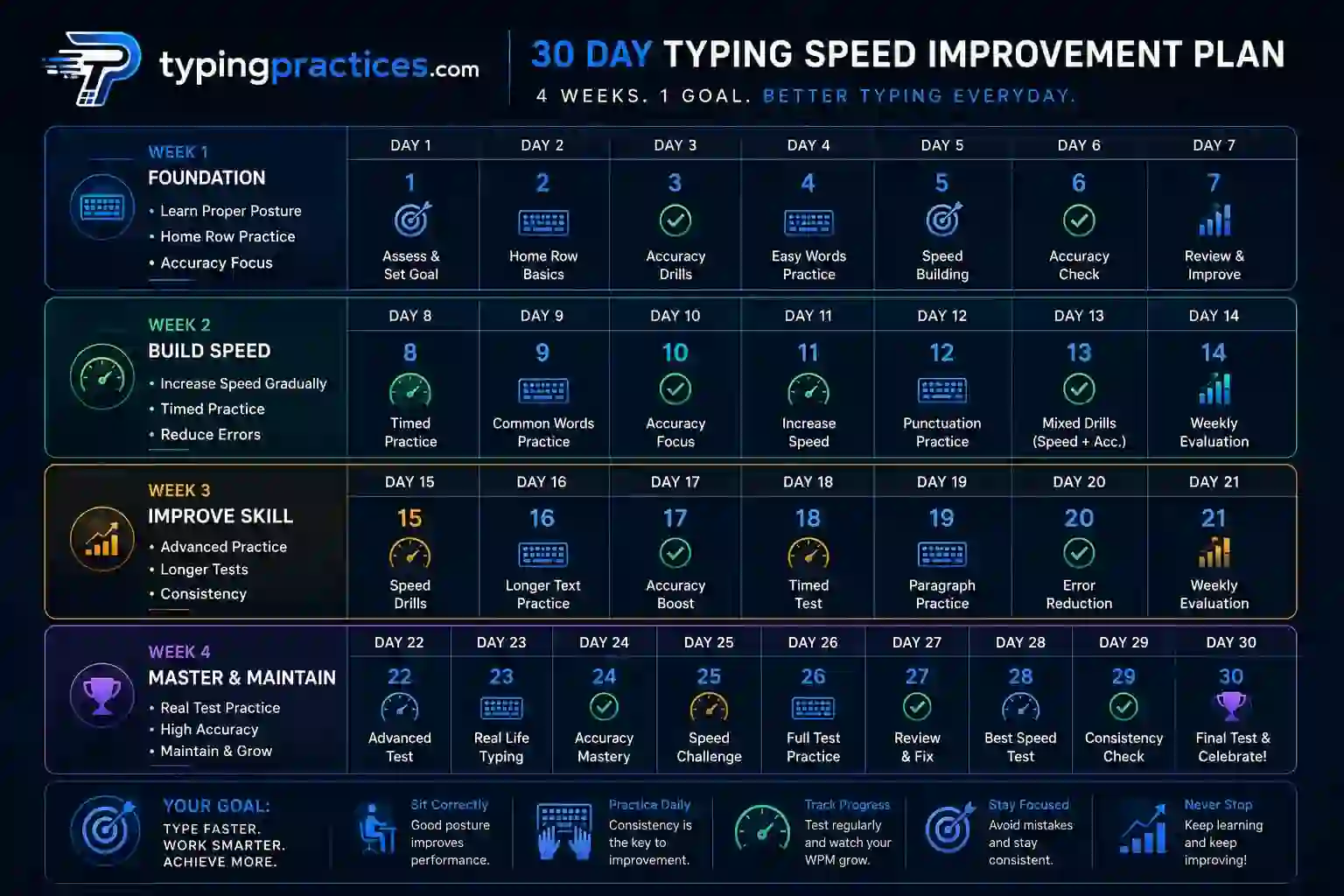
Most people following a plan like this see a meaningful jump in both speed and accuracy by the end of the month — not because of any shortcut, but because consistent, focused practice genuinely rewires the muscle memory involved in typing.
Frequently Asked Questions
What is the average typing speed?
The average typing speed for most adult computer users is commonly cited in the 35–45 WPM range, though this varies based on typing frequency, training, and profession.
What is a good WPM?
A good WPM generally falls in the 50–65 WPM range for everyday and professional use, with 40 WPM considered a solid baseline and 70+ WPM considered fast.
Is 40 WPM a good typing speed?
Yes. 40 WPM is generally seen as a good, functional typing speed for most everyday and workplace tasks, sitting comfortably within or above the typical average range.
Is 60 WPM fast?
60 WPM is generally considered above average and is often viewed as a strong, fast typing speed — well-suited for jobs and tasks that require frequent typing.
How can I improve my typing speed?
Improving typing speed comes down to proper finger placement, regular focused practice, prioritizing accuracy before speed, avoiding looking at the keyboard, and testing yourself consistently to track progress.
How is WPM calculated?
WPM is calculated by dividing the total number of typed characters by 5 (the standard "word" length), then dividing that number by the total time in minutes. Most tests also subtract errors to produce a more accurate "net WPM" score.
Final Thoughts
Typing speed isn't just a fun number to brag about — it's a practical skill that affects how efficiently you work, study, and communicate every day. Whether you're currently typing at 25 WPM or already comfortably above average, the path forward is the same: focus on proper technique, prioritize accuracy, and practice consistently rather than sporadically.
You don't need to chase record-breaking numbers to see real benefits. Even a modest jump from 35 WPM to 55 WPM can save you significant time across emails, assignments, and daily tasks. Start with a baseline typing speed test, follow a structured practice routine like the 30-day plan above, and revisit your progress regularly. Over time, faster and more accurate typing will start to feel completely natural — not like something you have to think about at all.