1. Introduction: Why Your Keyboard Layout Matters
Every day, the average office worker types between 40 and 80 words per minute. Professional typists, writers, programmers, and data entry specialists push that number far higher — sometimes exceeding 120 or even 150 WPM. But here is a question that most people never ask: is the keyboard layout you are using actually helping you reach your full potential, or is it quietly holding you back?
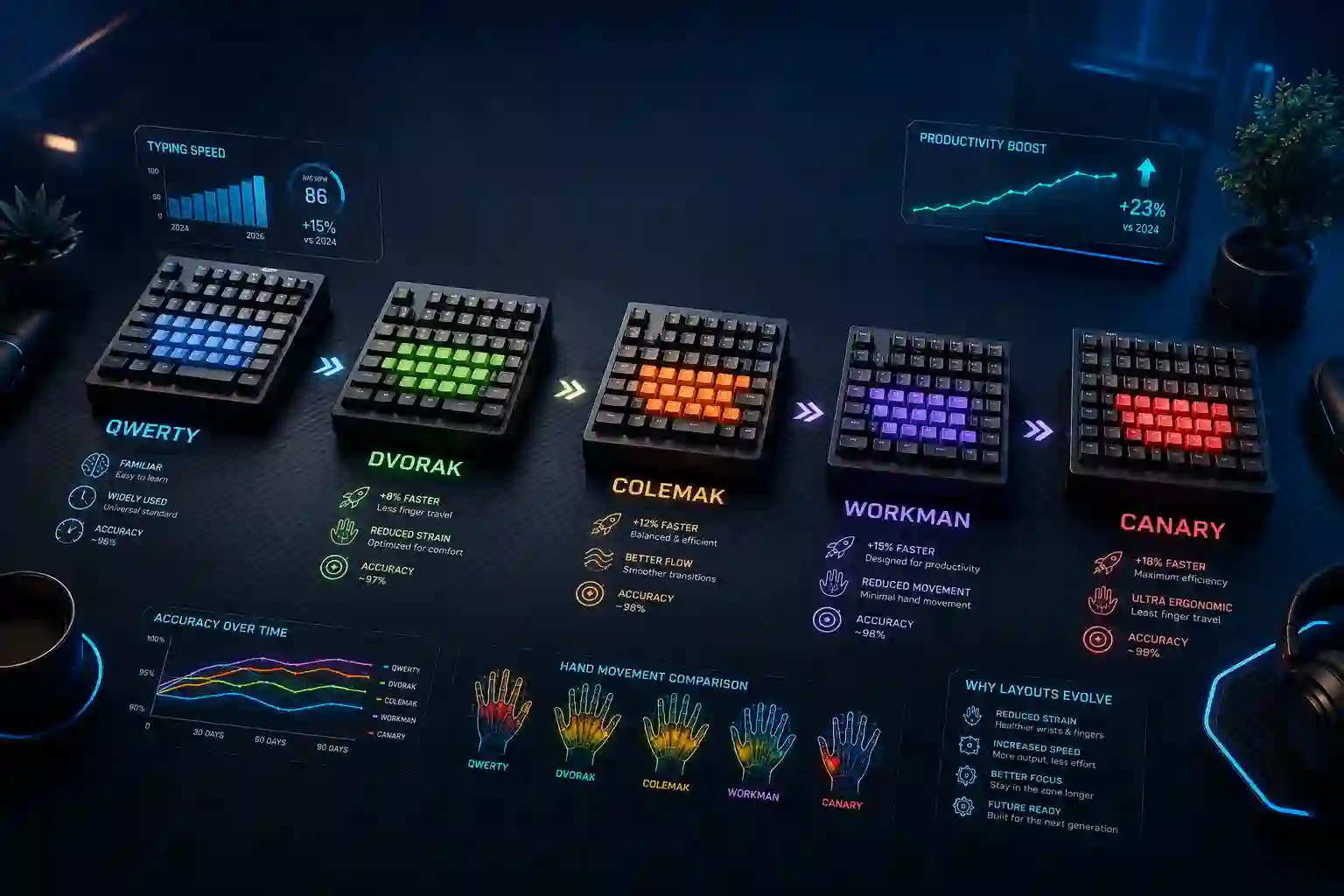
The keyboard layout you use determines which fingers travel which distances, how often you alternate hands, how much stress falls on your weakest fingers, and ultimately how fast and comfortably you can type. Most people are using QWERTY — a layout designed in the 1870s for mechanical typewriters, not for human speed or ergonomics. The world has changed dramatically since then, and so have keyboard layouts.
In this comprehensive guide, we break down every major keyboard layout competing for the title of "fastest" in 2025. Whether you are a casual typist looking to improve, a competitive typer chasing records, or a developer spending eight-plus hours a day at the keyboard, this guide will help you make an informed decision.
Table of Contents
2. How Keyboard Layouts Are Evaluated for Speed
Before comparing layouts, it is important to understand the criteria that researchers and the typing community use to judge how "fast" a layout actually is. Speed in keyboard layouts is not just about raw WPM — it is a combination of several interconnected factors.
Hand Alternation refers to how often the layout switches between your left and right hands while typing common words and letter combinations. Higher alternation generally reduces fatigue and allows for faster rhythm.
Home Row Usage measures how many of the most frequently typed letters in the English language sit on the middle row of the keyboard — the row where your fingers naturally rest. The more common letters live on the home row, the less your fingers need to move.
Finger Travel Distance is the total distance your fingers must travel to type an average passage of text. Layouts that minimize this distance reduce both typing time and the risk of repetitive strain injuries like carpal tunnel syndrome.
Same-Finger Bigrams (SFBs) occur when two consecutive letters must be typed with the same finger. These are slow and uncomfortable. A good layout minimizes SFBs significantly.
Pinky and Ring Finger Load matters because your weakest fingers should not be doing the heavy lifting. Efficient layouts place the burden on stronger index and middle fingers.
With these metrics in mind, let us evaluate the most prominent keyboard layouts available today.
3. QWERTY — The World Standard (But Not the Fastest)
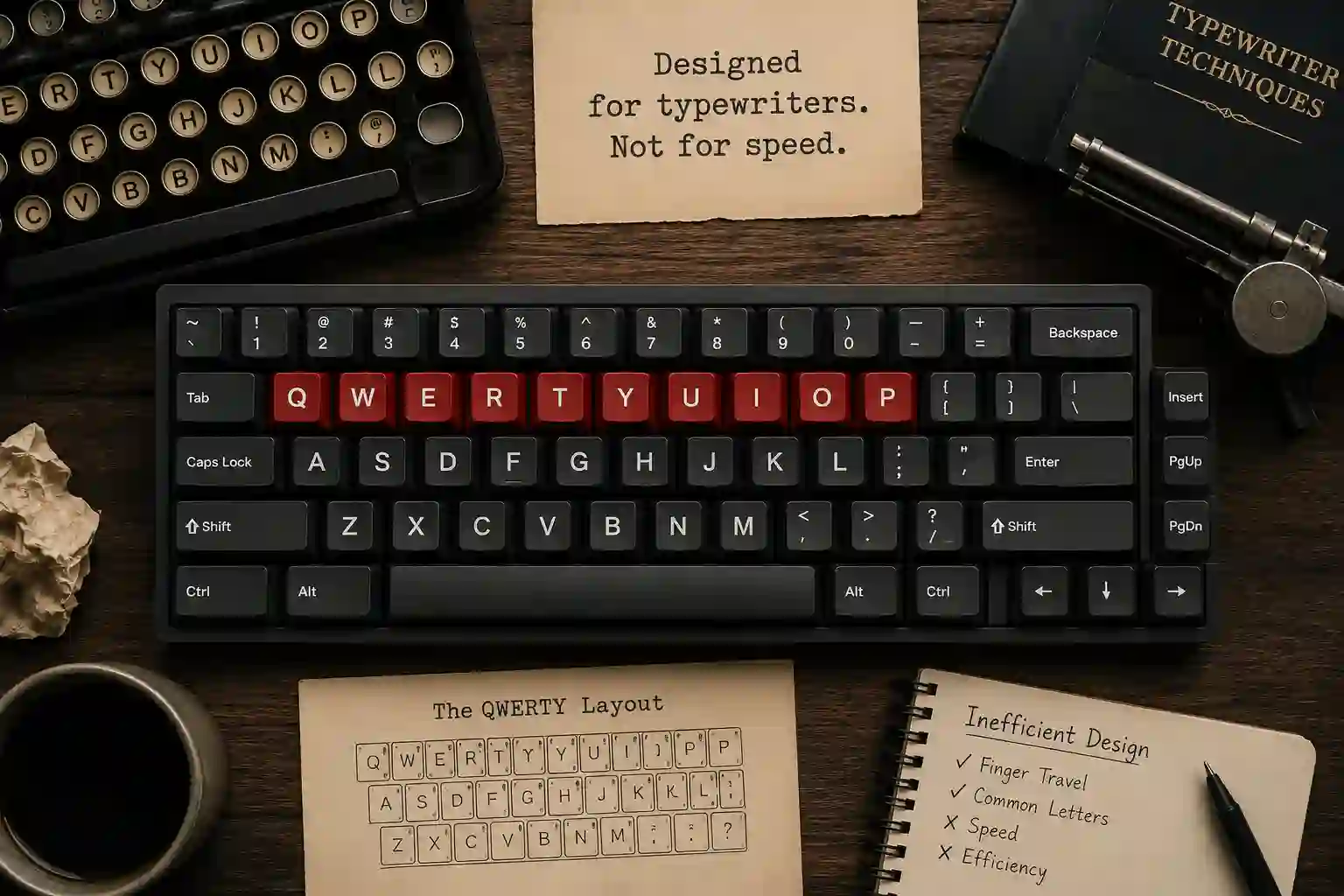
QWERTY was invented by Christopher Latham Sholes in 1873 and became the universal standard when the Remington typewriter brought it to mass production. The layout was reportedly designed to prevent mechanical typewriter keys from jamming by separating commonly used letter pairs.
That origin story tells you everything you need to know about QWERTY from a speed perspective: it was designed for a machine, not for a human hand.
Despite this, QWERTY remains the dominant layout worldwide for one simple reason — inertia. Billions of keyboards, operating systems, smartphones, and software applications are built around it. Learning another layout means going against the grain of nearly every device you will ever touch.
QWERTY Speed Profile:
- Home row usage of common letters: Approximately 32%
- Average finger travel: High
- Same-finger bigrams: Relatively high
- Hand alternation: Moderate
Typical average typing speed on QWERTY: 40–80 WPM for most users, with trained professionals reaching 100–130 WPM
QWERTY is not terrible — millions of people type fast on it every day. But when studied scientifically, it leaves significant speed and comfort gains on the table.
4. Dvorak — The Classic Speed Alternative
Developed by Dr. August Dvorak and William Dealey in 1936, the Dvorak Simplified Keyboard was one of the first serious scientific attempts to redesign the keyboard for human efficiency. Dr. Dvorak studied typing patterns, hand anatomy, and letter frequency in English to craft a layout that would feel natural and fast.
The core philosophy of Dvorak is simple: the most common letters should live on the home row, and typing should flow naturally between hands.
On the Dvorak layout, the home row reads: A O E U I D H T N S
Notice that all five vowels (A, O, E, U, I) sit on the left side of the home row, while the most common consonants (D, H, T, N, S) occupy the right side. This design naturally promotes hand alternation because most English words mix vowels and consonants.
Dvorak Speed Profile:
- Home row usage: Approximately 70% of common English text
- Average finger travel: Significantly reduced compared to QWERTY
- Same-finger bigrams: Lower than QWERTY
- Hand alternation: Excellent
Typical typing speed on Dvorak: With training, users often reach 90–120+ WPM. The world record typing speed was set on Dvorak.
Who should use Dvorak? Writers, journalists, and heavy typists who deal primarily with English prose and are willing to invest several weeks relearning muscle memory. Dvorak is less ideal for programmers because punctuation placement requires adjustment.
5. Colemak — The Modern Typist's Champion
Introduced in 2006 by Shai Coleman, Colemak is the most popular QWERTY alternative in the modern typing community — and for good reason. It was designed with three goals in mind: be faster and more ergonomic than QWERTY, minimize same-finger bigrams, and keep enough familiar key positions from QWERTY that the learning curve is manageable.
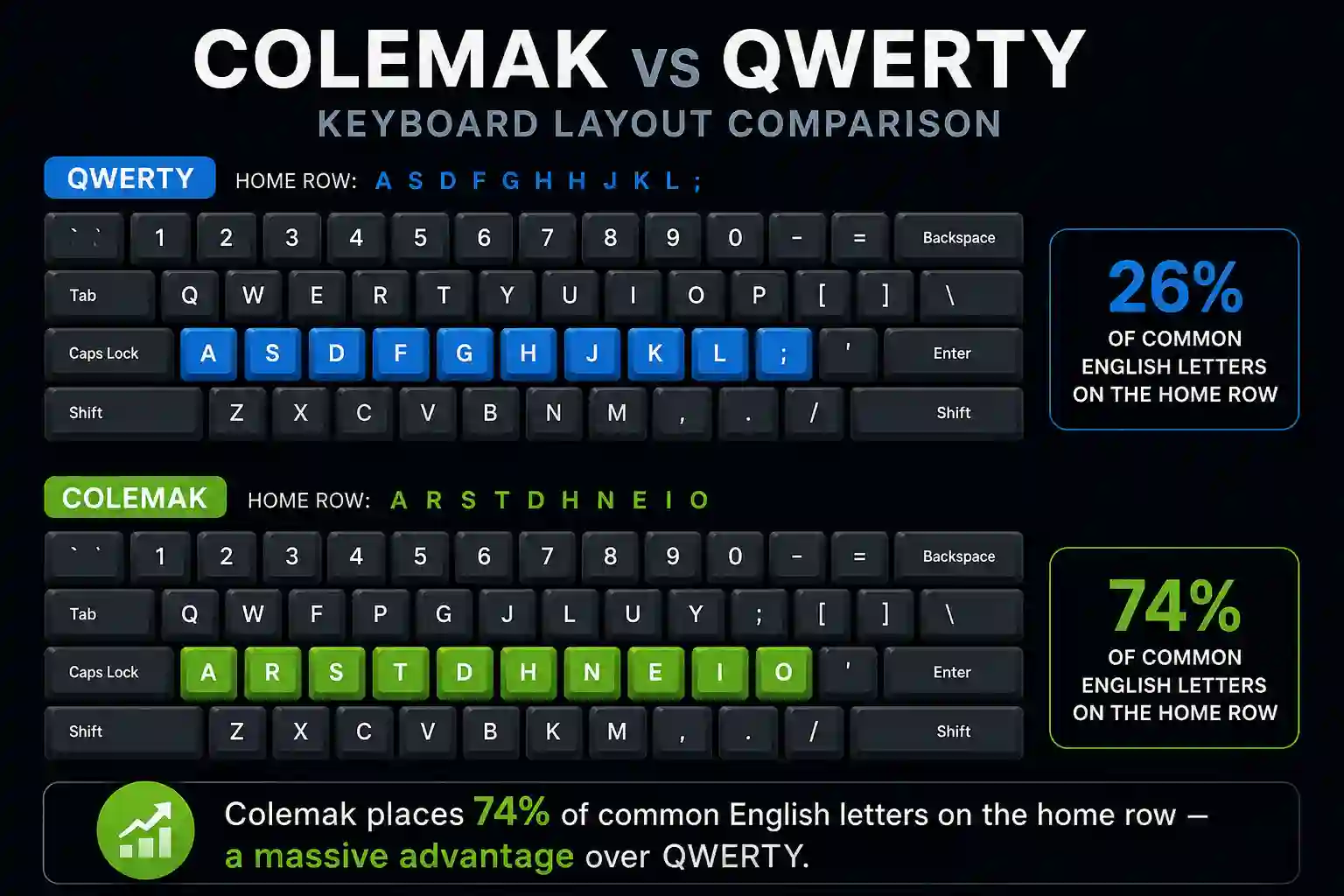
Colemak only changes 17 keys from QWERTY. Common shortcuts like Ctrl+Z, Ctrl+X, Ctrl+C, and Ctrl+V remain in the same positions, which is a massive practical advantage for everyday computer users.
The Colemak home row reads: A R S T D H N E I O
The most frequently used letters in English — E, T, A, O, I, N, S, H, R — are all on or close to the home row. This means your fingers barely need to leave their resting position for the vast majority of English typing.
Colemak Speed Profile:
- Home row usage: Approximately 74% — the highest among widely-used layouts
- Average finger travel: Among the lowest measured
- Same-finger bigrams: Very low
- Pinky and ring finger load: Well-balanced
- Hand alternation: Good, with emphasis on rolls (comfortable consecutive same-hand key presses)
Typical typing speed on Colemak: 90–140+ WPM for trained users. Many competitive typists favor Colemak.
Who should use Colemak? Almost anyone who types primarily in English and wants a significant speed and comfort improvement. Its partial similarity to QWERTY makes it the most practical QWERTY alternative for most people.
6. Workman — Designed for Programmer Comfort
Created by OJ Bucao in 2010, the Workman layout was built specifically in response to criticisms of Colemak. Bucao argued that Colemak placed too much strain on the index finger and that the lateral movement required on certain keys was underappreciated as a source of fatigue.
Workman's design principle centers on the idea that not all finger movements are equally comfortable. Moving fingers up and down (vertically) is easier than moving them inward or outward (laterally). Workman optimizes for this distinction, reducing the amount of lateral finger movement required during typing.
The Workman home row reads: A S H T G Y N E O I
Workman Speed Profile:
- Home row usage: Approximately 67%
- Lateral finger movement: Significantly reduced compared to Colemak
- Same-finger bigrams: Very low
- Index finger load: More evenly distributed than Colemak
Typical typing speed on Workman: 85–130+ WPM for trained users.
Who should use Workman? Developers and programmers who spend long hours typing and experience finger or wrist fatigue. Also good for people who prioritize long-term comfort over maximum raw speed.
7. Colemak-DH — The Optimized Evolution
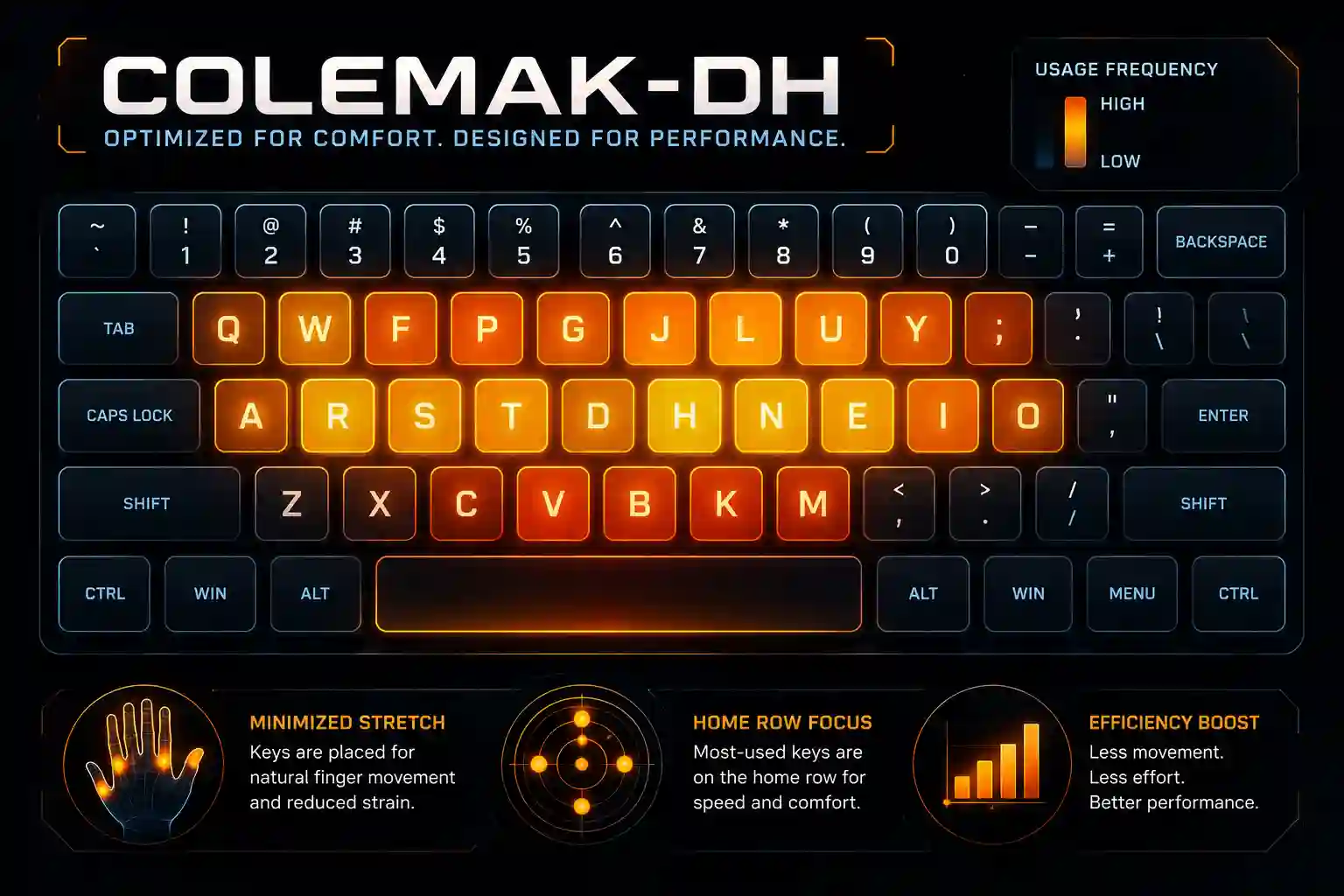
Colemak-DH (also known as Colemak Mod-DH) is a modification of the original Colemak layout that addresses one specific criticism: the placement of the D and H keys. In standard Colemak, these two common letters sit in the center columns of the home row — a position that requires uncomfortable inward stretching of the index finger.
Colemak-DH moves D and H to the lower row but assigns them to positions that are actually easier to reach, making use of the same principle Workman introduced about lateral versus vertical movement.
Colemak-DH Speed Profile:
- Home row and easy-reach key usage: Among the best of any layout
- Lateral movement: Significantly improved over standard Colemak
- Same-finger bigrams: Extremely low
- Finger comfort: Excellent
Who should use Colemak-DH? Anyone drawn to Colemak who also experiences lateral finger strain. This is widely considered the best all-around layout for English typing in 2025 by the advanced typing community.
8. BEAKL — The Science-First Layout
BEAKL (Balanced Effortless Advanced Keyboard Layout) takes keyboard optimization to an extreme level. Where most layouts make compromises for practicality or familiarity, BEAKL was designed purely by data — studying letter frequency, bigram patterns, hand physiology, and finger strength to produce the mathematically optimal typing experience.
BEAKL has gone through multiple iterations (BEAKL 15 being the most refined version) and scores exceptionally well on objective metrics. However, it shares virtually no keys with QWERTY, making the transition extremely demanding.
BEAKL Speed Profile:
- Home row usage: Extremely high
- Same-finger bigrams: Near-zero in optimized versions
- Finger travel: Minimal
- Learning curve: Very steep
Who should use BEAKL? Typing enthusiasts and competitive typists who are willing to undergo a complete relearn from scratch and prioritize objective optimization above all else.
9. Side-by-Side Comparison of All Layouts
| Layout | Home Row % | Avg. Finger Travel | SFB Rate | Learning Curve | Best For |
|---|---|---|---|---|---|
| QWERTY | ~32% | High | High | None (already known) | General use, familiarity |
| Dvorak | ~70% | Low | Moderate | Hard | English prose writers |
| Colemak | ~74% | Very Low | Very Low | Moderate | Most typists |
| Workman | ~67% | Low | Very Low | Moderate | Programmers, comfort |
| Colemak-DH | ~74% | Lowest | Extremely Low | Moderate | Advanced typists |
| BEAKL | ~80%+ | Minimal | Near Zero | Very Hard | Enthusiasts, competitors |
10. How to Choose the Right Layout for You
Choosing the right keyboard layout is a personal decision that depends on your goals, profession, and how much time you are willing to invest. Here is a simple framework to guide your decision:
Choose QWERTY if: You switch between many different devices and computers regularly, you work in an environment where you cannot change system settings, or you are already typing above 100 WPM and the disruption is not worth it.
Choose Dvorak if: You are a heavy English prose writer, you want a well-documented and widely-supported alternative, and you do not mind a steeper initial learning curve.
Choose Colemak if: You want a significant speed and comfort upgrade with a manageable transition, you use standard keyboard shortcuts constantly, and you type primarily in English.
Choose Workman if: You are a programmer or developer who experiences lateral finger fatigue, and you prefer to optimize for long-term comfort over marginal speed gains.
Choose Colemak-DH if: You are serious about maximizing both speed and ergonomic comfort, you are comfortable with a deeper modification, and you are part of the modern typing optimization community.
Choose BEAKL if: You are a typing enthusiast who wants the mathematically optimal layout and is prepared to dedicate significant time to a complete relearn.
11. How to Switch Keyboard Layouts Without Losing Productivity
Switching keyboard layouts is one of the most daunting decisions a typist can make, because the transition period will temporarily slow you down. Here is how to manage it successfully:
Start on a secondary device. If you have a personal laptop or home computer, begin learning your new layout there while keeping QWERTY on your work machine. This way your professional productivity is not immediately impacted.
Use software remapping tools. On Windows, tools like Microsoft's PowerToys or the AutoHotkey scripting tool allow you to remap keys without purchasing new hardware. On macOS, the built-in Keyboard settings panel supports Dvorak and Colemak natively. On Linux, a simple xkb configuration change handles it instantly.
Print or display a layout map. During the learning phase, keep a printed or on-screen reference of your new layout visible. Do not look at your physical keys — they will confuse you. Instead, train your fingers to find positions by feel.
Set a daily practice goal. Commit to at least 20 to 30 minutes of deliberate practice every day. Use structured lessons on typing practice platforms (like right here at TypingPractices.com) designed specifically for alternative layouts.
Accept the productivity dip. Most switchers experience 4 to 8 weeks where their speed on the new layout is lower than their old QWERTY speed. This is completely normal. Muscle memory takes time to rewire. Push through it — the gains on the other side are real.
Do not force touch typing from day one. In the first few days, it is okay to hunt and peck on your new layout while your fingers begin to learn positions. Gradually shift toward proper touch typing as confidence builds.
12. Practice Tips to Master Any Layout Faster
No matter which layout you choose, the way you practice matters just as much as which layout you pick. Here are proven techniques to accelerate your learning:
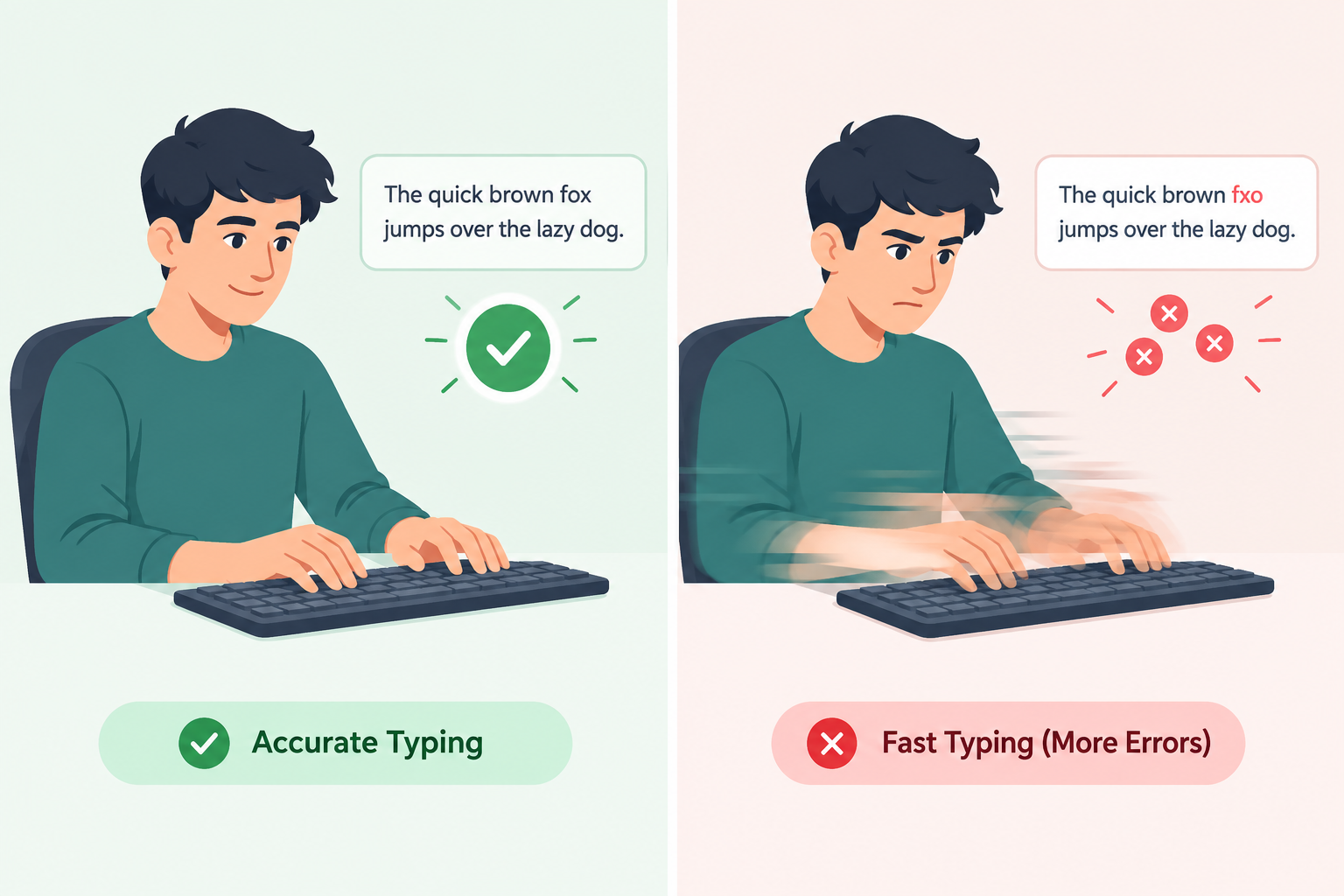
Focus on accuracy before speed. Typing fast with mistakes is slower than typing accurately at a moderate pace. Train yourself to hit every key correctly, and speed will follow naturally.
Practice the most common words first. The 200 most common English words make up roughly 50% of all text you will ever type. Mastering these on your new layout gives you a massive head start.
Use timed drills. Short, focused bursts of timed typing — 1 to 2 minutes — with immediate feedback are more effective than long, unfocused sessions. Quality beats quantity in typing practice.
Review your mistakes deliberately. After each practice session, look at which keys or combinations caused errors. Create custom drills around your weak spots.
Practice bigrams, not just individual letters. The combination of two letters — TH, HE, IN, ER, AN — is where real typing rhythm lives. Drilling common bigrams builds the fluid, rolling motion that characterizes fast typists.
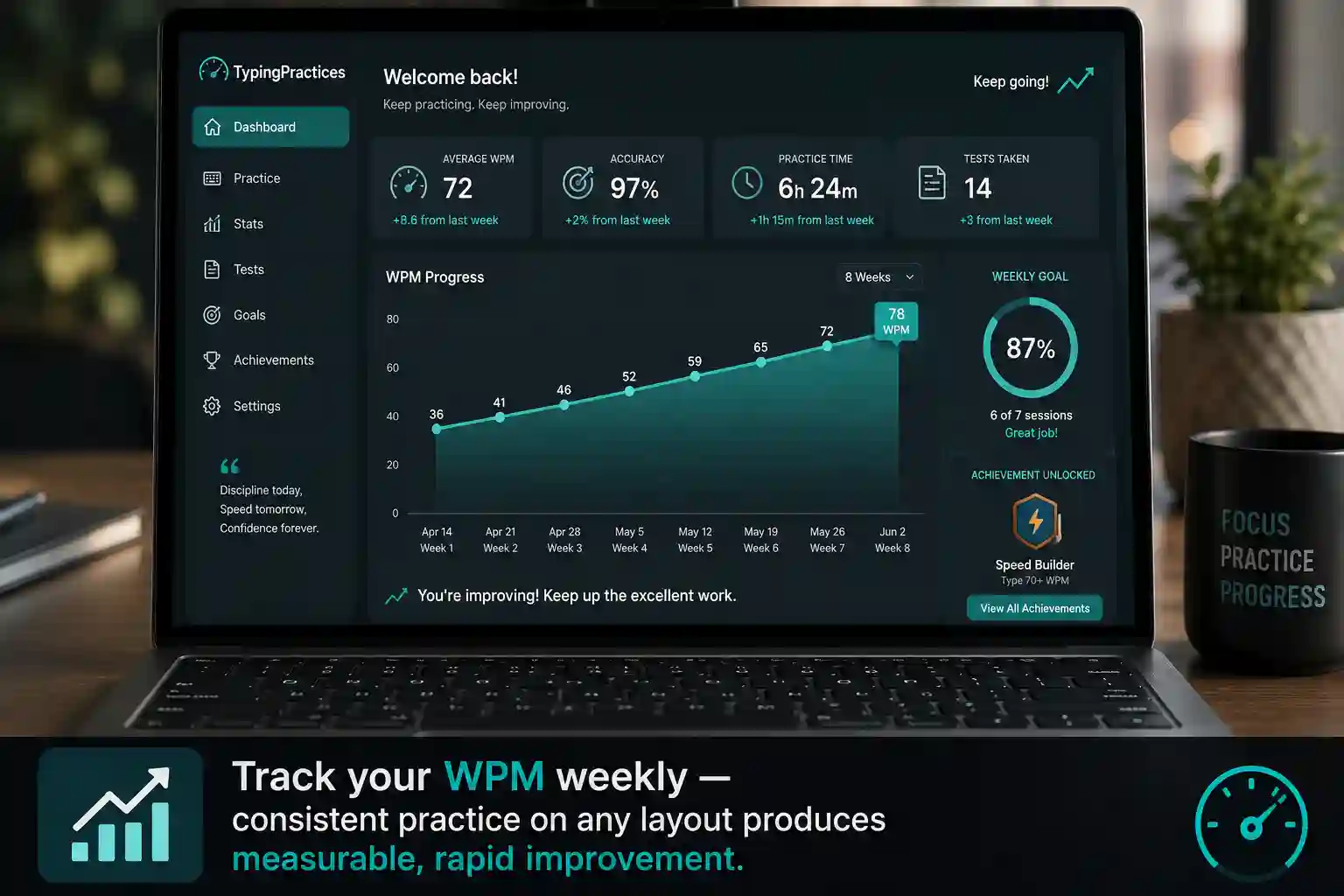
Track your progress. Keep a weekly log of your WPM and accuracy scores. Seeing measurable improvement is one of the strongest motivators to continue.
13. Final Verdict: What Is the Fastest Keyboard Layout in 2026?
After examining all the evidence, here is the honest answer: there is no single "fastest" keyboard layout for every person in every situation. Speed depends on the individual, their native language, their typing habits, and how much time they invest in deliberate practice.
That said, if forced to make a recommendation based on objective metrics and real-world community results, the answer in 2025 is Colemak-DH for most serious typists.
It offers the highest home row usage of any practical layout, eliminates the uncomfortable lateral movement that standard Colemak retained, has extremely low same-finger bigram rates, and is supported by an active community with excellent learning resources. Its moderate learning curve makes it accessible without being trivially easy, and its long-term ergonomic benefits reduce the risk of repetitive strain injuries that cut short many typists' careers.
For beginners or casual typists: Stay on QWERTY and work on technique, accuracy, and rhythm first. You can reach 80+ WPM on QWERTY with the right training.
For intermediate typists (60–90 WPM): Colemak is your best investment. The transition will take 6–10 weeks of consistent practice, and the payoff in both speed and comfort is very real.
For advanced typists (90+ WPM) who type professionally: Consider Colemak-DH or BEAKL if you are willing to undergo a temporary but significant productivity disruption for long-term gains.
For programmers: Workman or Colemak-DH are the top choices, with Colemak-DH edging ahead in most community benchmarks.
The bottom line is this: the fastest layout is the one you practice on consistently and intentionally. Every layout in this guide is capable of producing 120+ WPM in trained hands. Your commitment to practice is the true variable.

14. Frequently Asked Questions
Q: Can switching keyboard layouts actually make me type faster?
A: Yes — but it takes time. Most users who switch from QWERTY to Colemak or Dvorak and practice consistently for 2 to 3 months report significantly higher WPM and noticeably less fatigue. The improvement is real, but it requires patience during the transition period.
Q: How long does it take to learn a new keyboard layout?
A: Most people regain their pre-switch QWERTY speed within 6 to 12 weeks of daily practice on a new layout. After 3 to 6 months, many exceed their previous personal best.
Q: Will switching to a new layout help with wrist or hand pain?
A: In many cases, yes. Layouts like Colemak-DH and Workman significantly reduce finger travel distance and awkward reaching motions, which are common contributors to repetitive strain injuries. However, layout is just one part of ergonomics — posture, keyboard angle, and break frequency also matter greatly.
Q: Is Colemak better than Dvorak?
A: For most modern English typists, yes. Colemak is more similar to QWERTY (making transition easier), has comparable or better efficiency metrics, keeps familiar shortcut positions, and has a larger active community with more learning resources. Dvorak was revolutionary for its time but Colemak has largely surpassed it in practical terms.
Q: Can I use an alternative layout on my smartphone?
A: Yes — both Android and iOS support alternative keyboard layouts through third-party apps. Dvorak and Colemak are available on major app stores. However, most mobile typists find thumb-typing on touchscreens too different from physical keyboard layouts for the optimization to matter as much.
Q: Does typing layout affect gaming?
A: This varies by game. Many PC games use WASD controls, which are in very different positions on alternative layouts. Most gamers who use alternative layouts for typing switch back to QWERTY (or remap keys) for gaming. Some keyboards allow hardware profiles that switch between layouts instantly.